The pilotJuly 2026

We built and piloted our installation at Sony CSL Paris. This served as an alpha (α) iteration and our first research-creation output.

α The evening

From dusk to breath

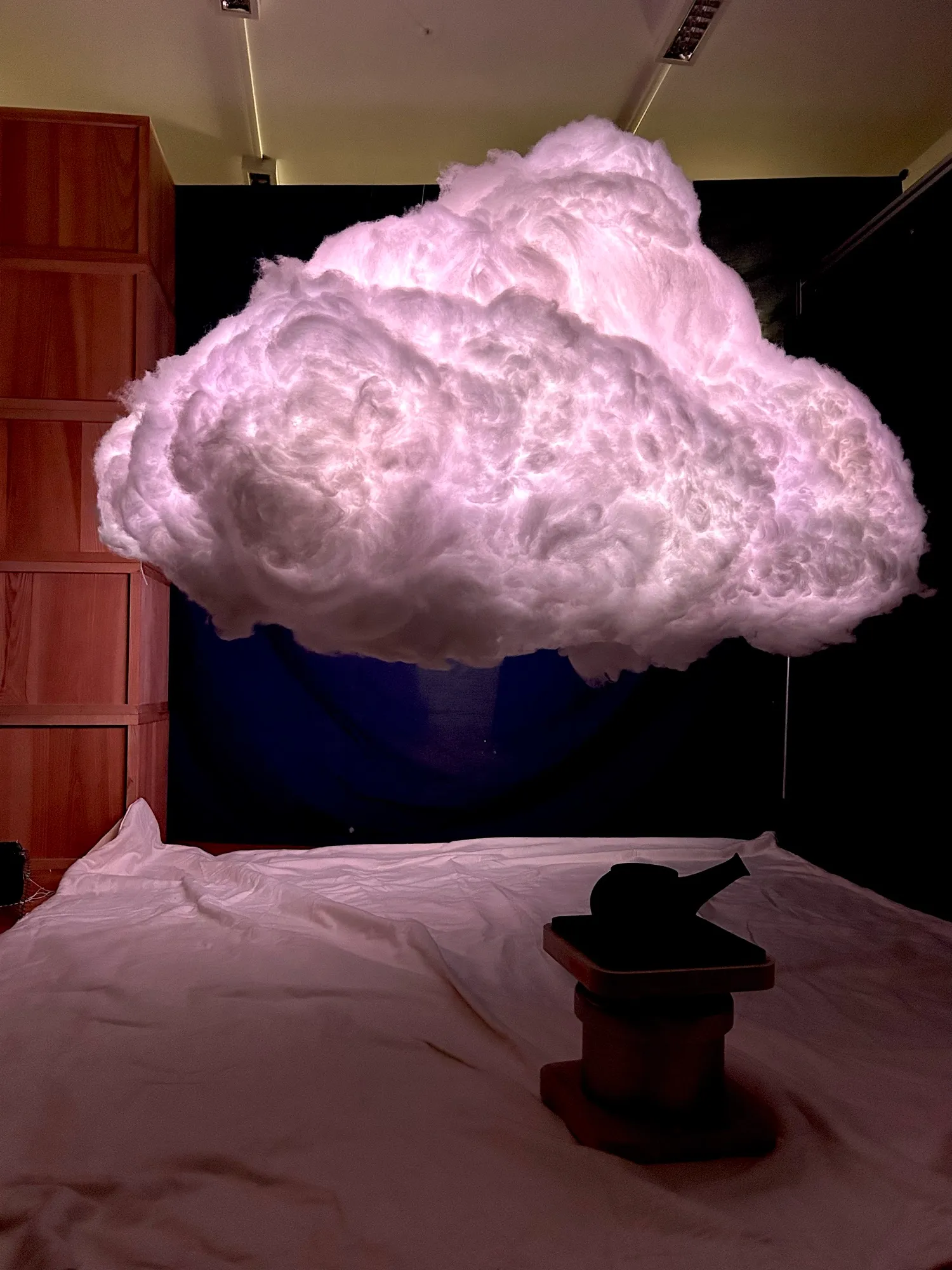
We closed off a section of the atelier with a black backdrop, and we blacked out the street-level windows to the right and the glass door to the garden at the back left. We decided to lay out a white sheet on the ground both to cover the wooden texture of the floor and to reflect more light from the cloud. For seating, we placed beanbags on the floor and kept a pot of tea warm under the cloud. Over two days, people took turns reclining in front of the cloud as it moved from dusk, through the magical twilight, to breath synchronisation and finally to daylight.

IDusk and lightning

The sun sets on the room and the first strikes flicker through the cloud.

2 items

IIMagical twilight

The lightning intensifies. Multi-coloured 'sprites' appear with eerie sounds.

2 items

IIIBreath

Participant breath travels through the cloud on exhale. Uncovering the dawn light and bringing clarity to the dawn music.

3 items

α Moments

The people beneath it

We invited many people to sit infront of the cloud or stand in larger groups. Many said it had a presence. They just wanted to stay in the room with it.

Under the cloud

Two days of visitors, tea and beanbags.

9 items

α Behind the screens

Two laptops and a pair of belts

At the righthand side of the room, TouchDesigner read the breathing belts and sent OSC trigger commands to the main control software. Our own control app drove the time of day simulation, LED mapping, lightning, breath controls, audio and reactive elements such as audio modulation. Watching the screens and the cloud side by side was how we tuned the evening as it happened.

More about the software →

The control desk

Breath waves on one screen, the sky on the other.

3 items

α Getting ready

Ten days, and the last few hours

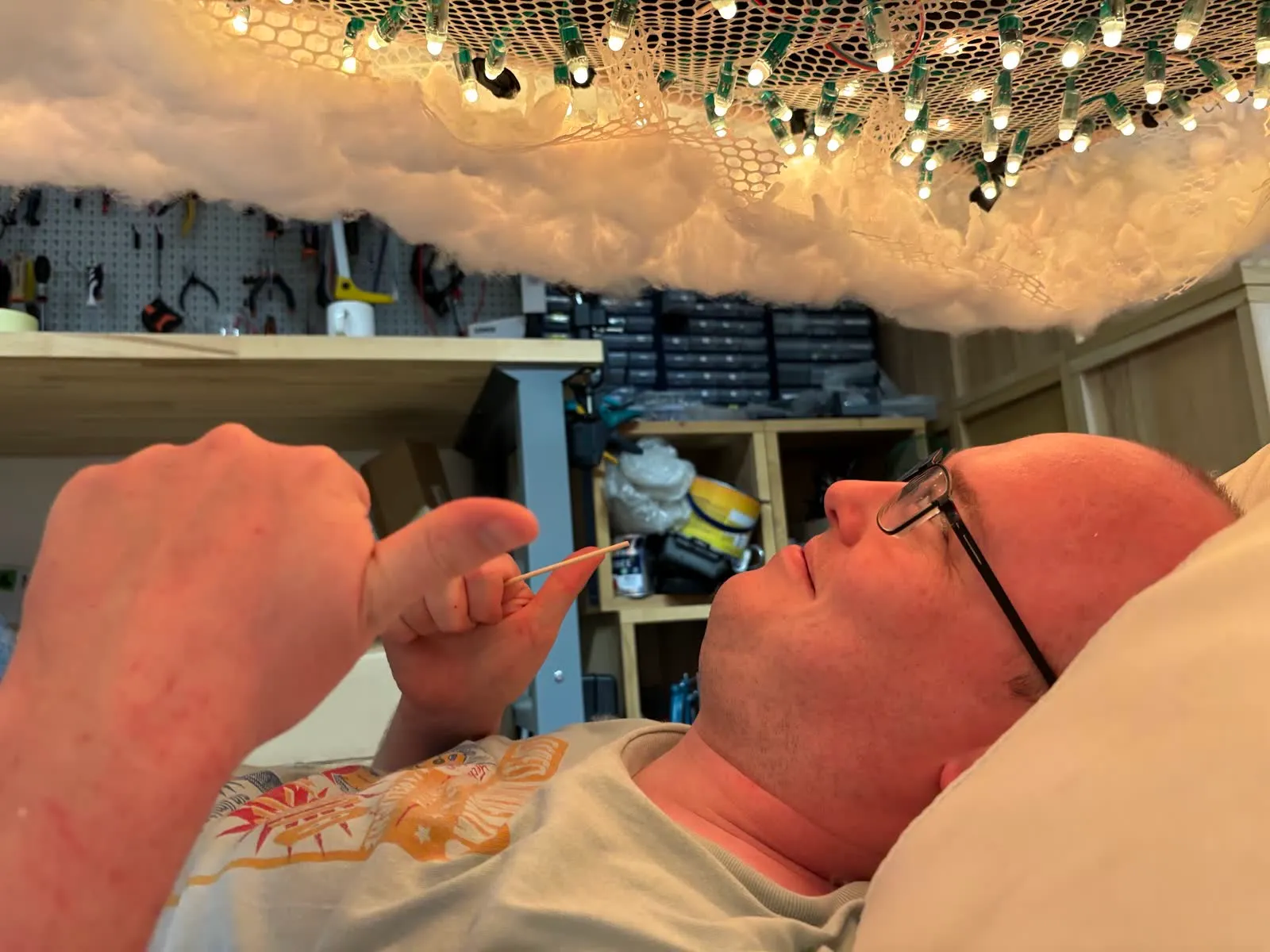
The pilot was built in ten days in the atelier of Sony CSL Paris following a long period of prototyping and conceptualisation. The last of it happened lying on the floor, pushing fibre up into the cloud one skewer at a time.

Follow the full build in the process journal

The last few hours

Stuffing, hanging and shaping the cloud before the doors opened.

6 items

Electronics

What was that popping sound?

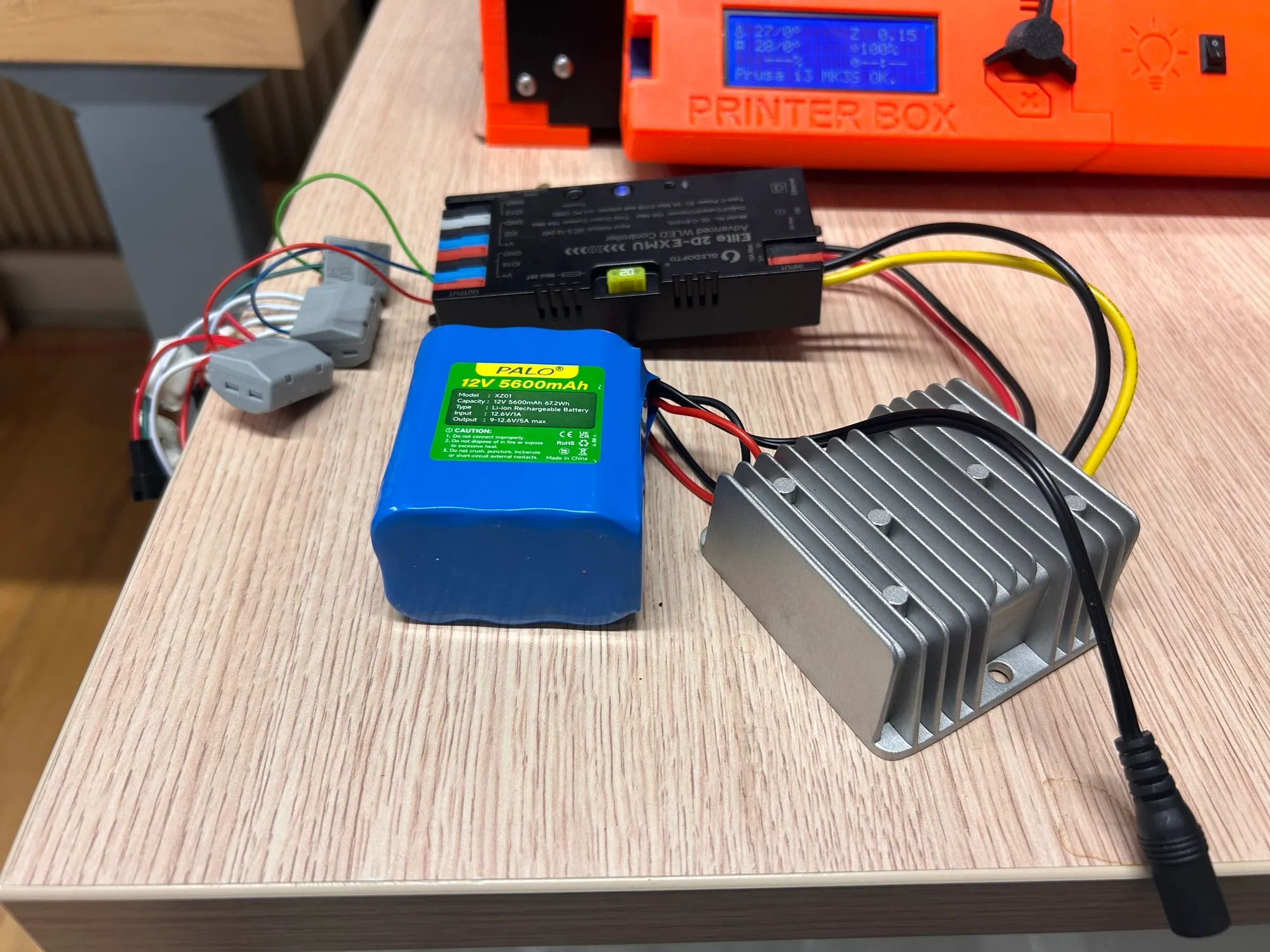
The LEDs run from a battery through a buck converter, which steps the voltage down to what the lights need. The first buck converter couldn't take the amperage and a component overheated and was damaged.

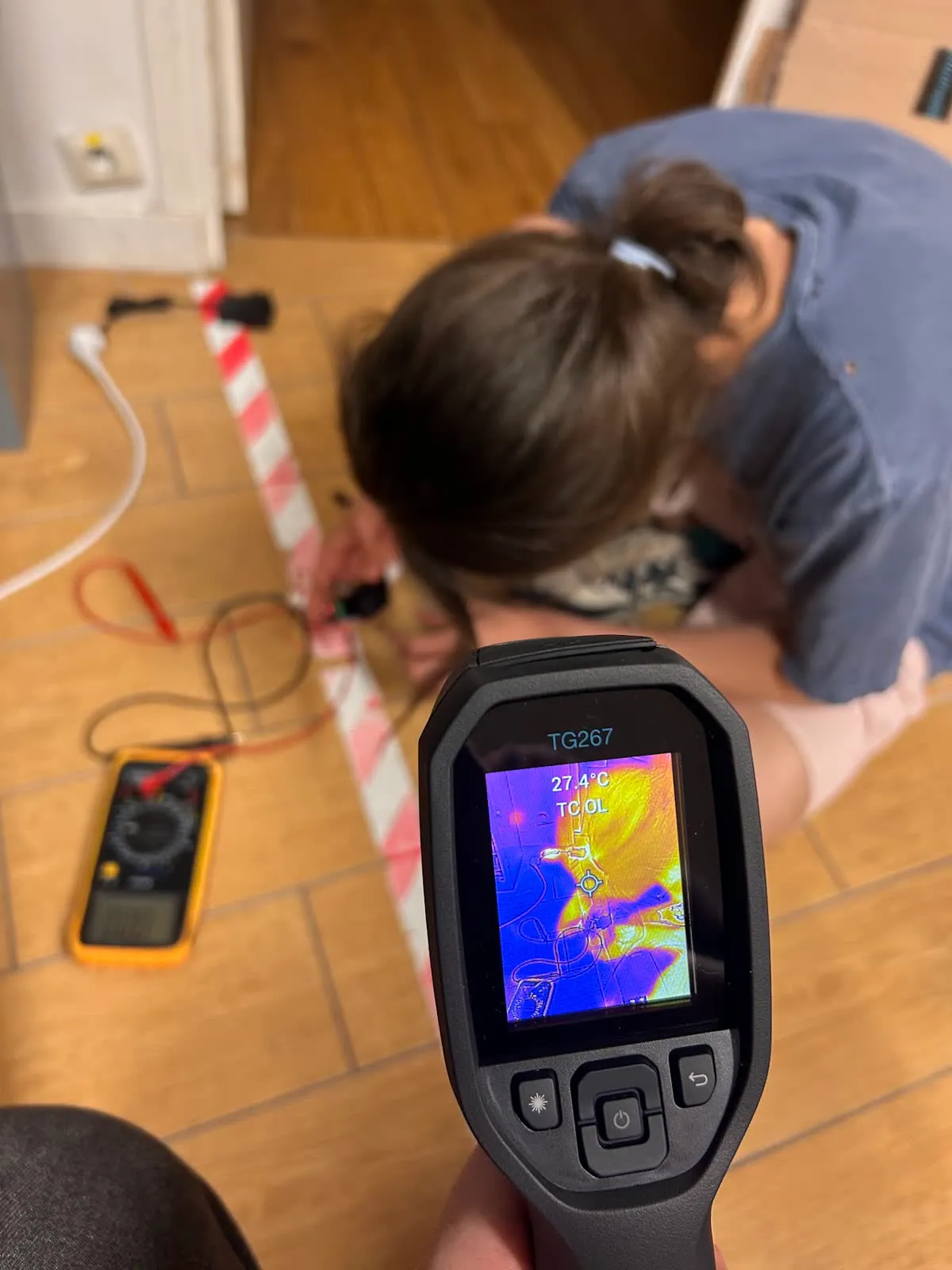
Luckily we bought two just incase. Under the full load of the cloud it ran hot, so we measured it with a thermal camera and added a small fan which was very effective. After the pilot we replaced it with a better converter and controller.

Ten days of building

From printed joints to a cloud on the ceiling, 20–29 July 2026. Scroll sideways.

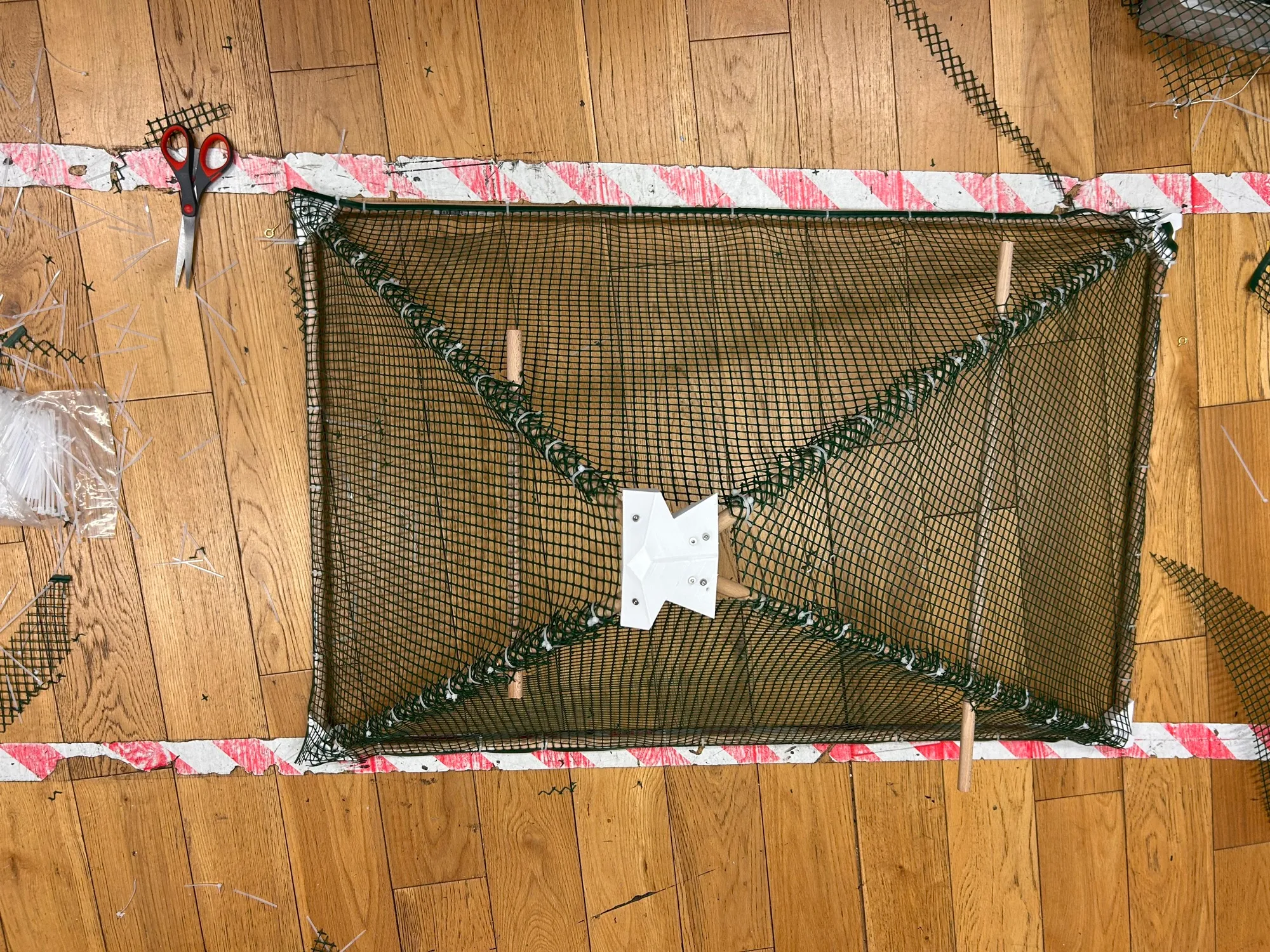
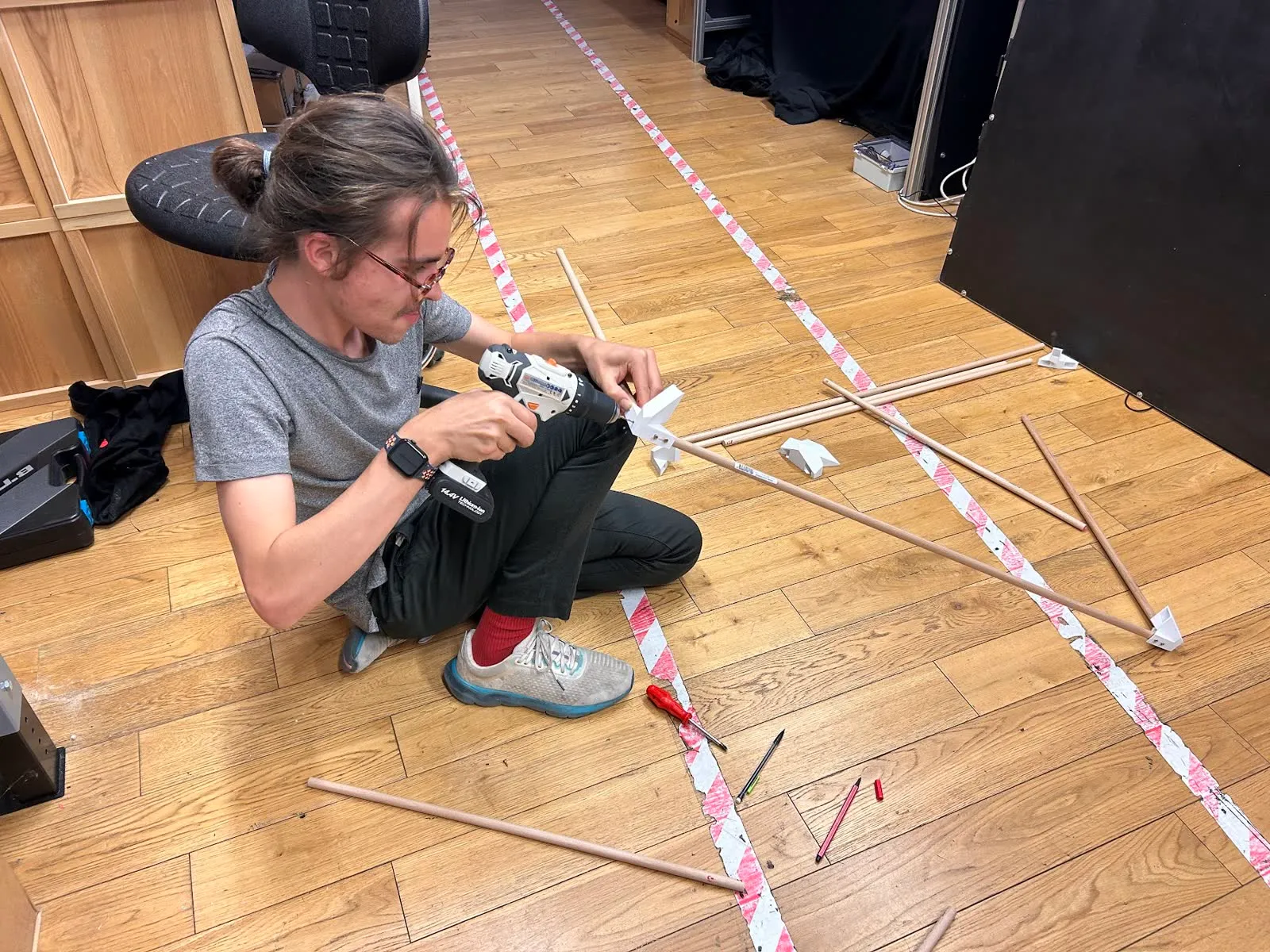
Wooden dowels and 3D-printed joints laid out on the workshop floor.
21 Jul · Dowels and printed joints
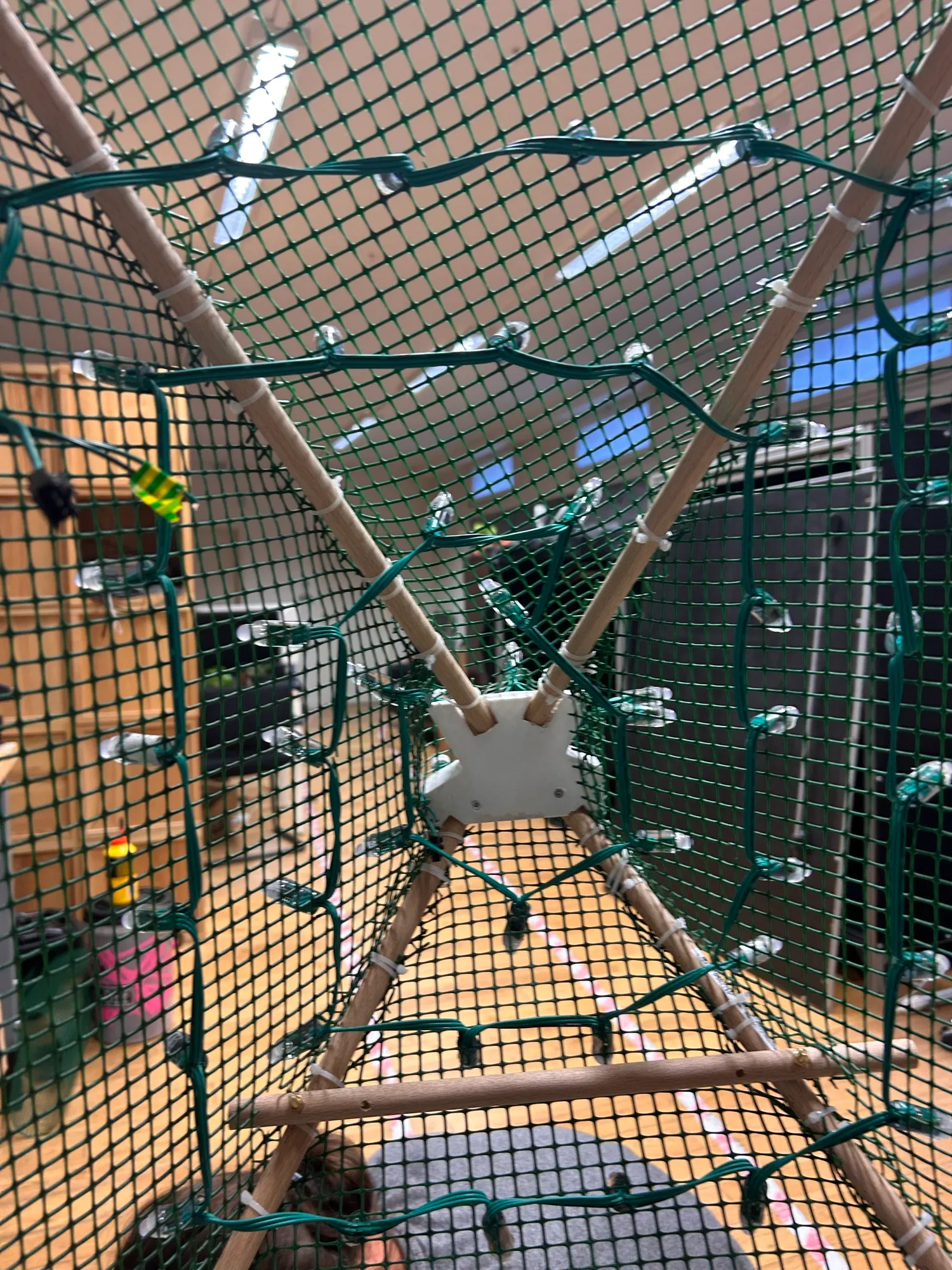
Looking up inside the mesh-wrapped pyramid, with strings of LED pixels zip-tied along each face.
21 Jul · LED pixels tied inside a mesh pyramid
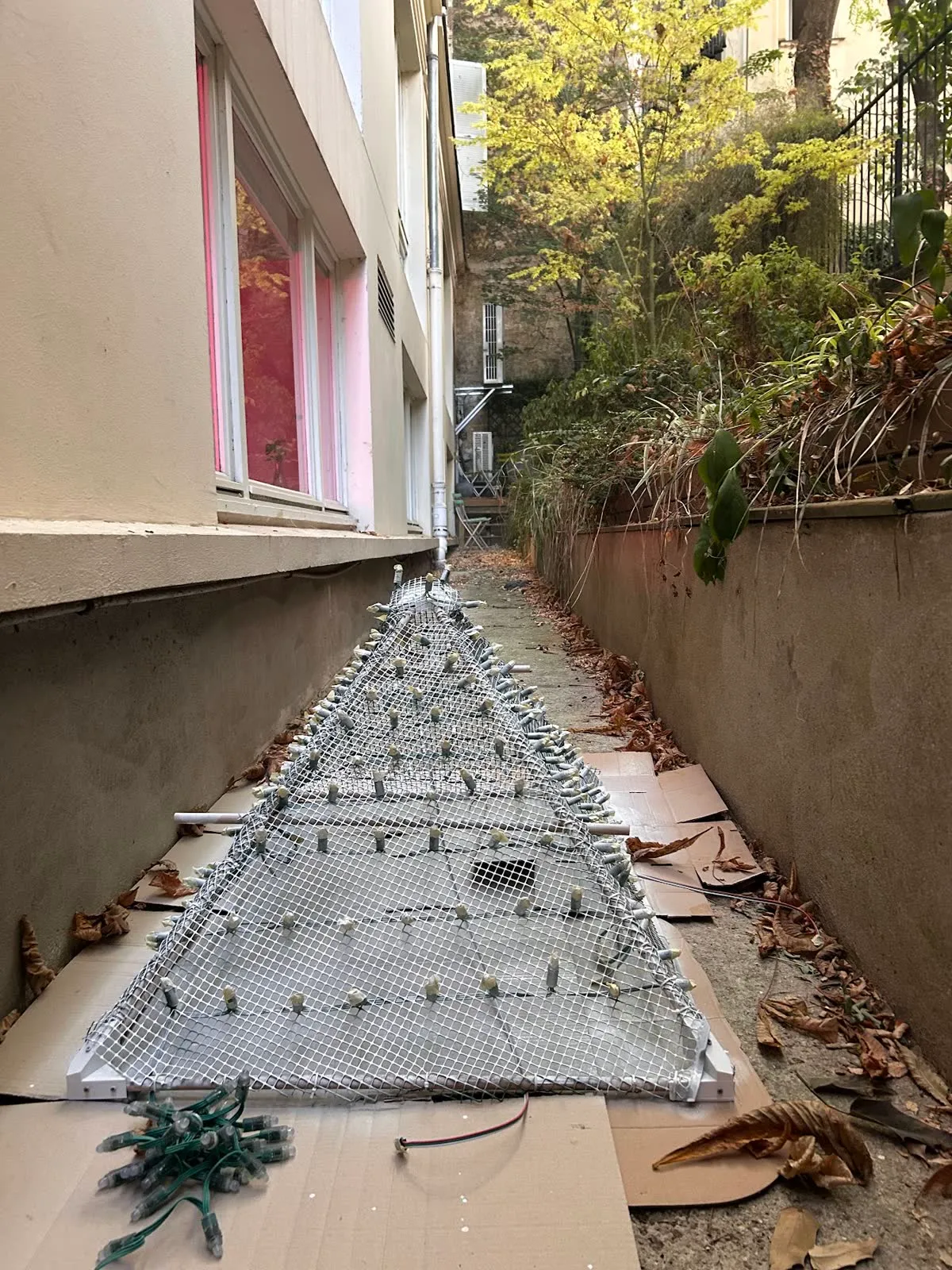
The painted pyramid drying on cardboard in a narrow courtyard.
22 Jul · Painted white in the courtyard
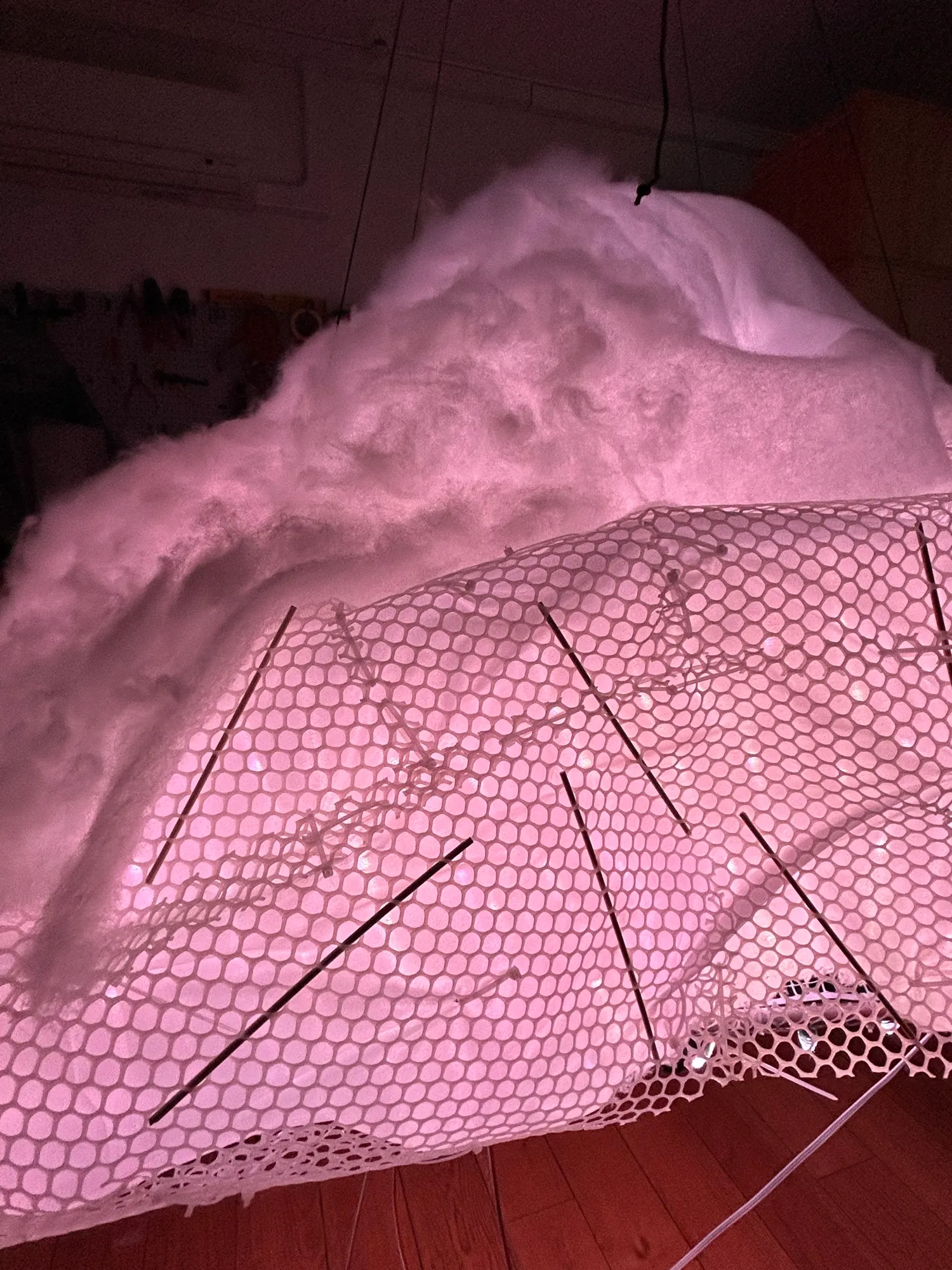
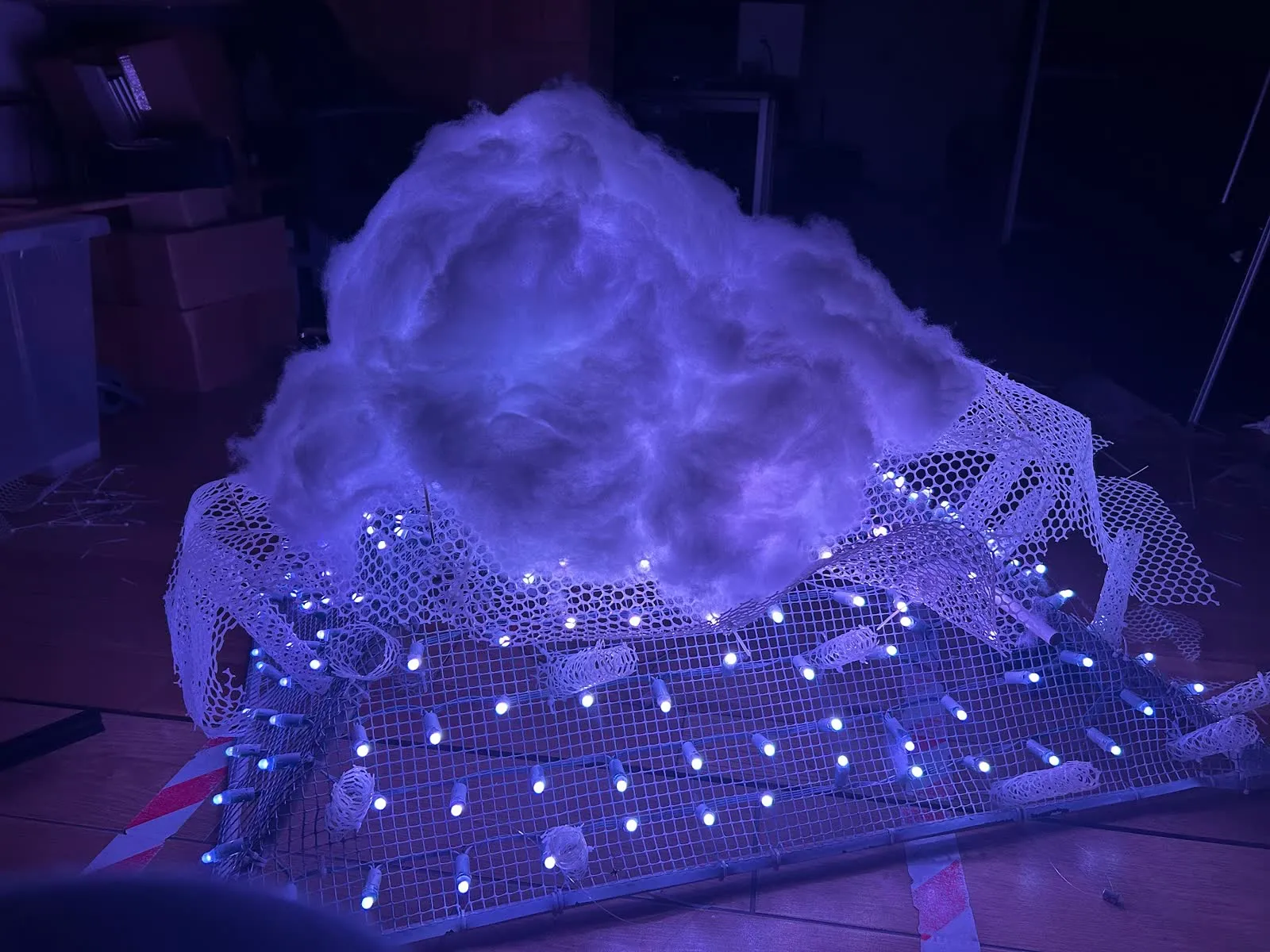
A mound of fibre glowing violet on top of a frame of LED pixels.
24 Jul · First fibre over the lights
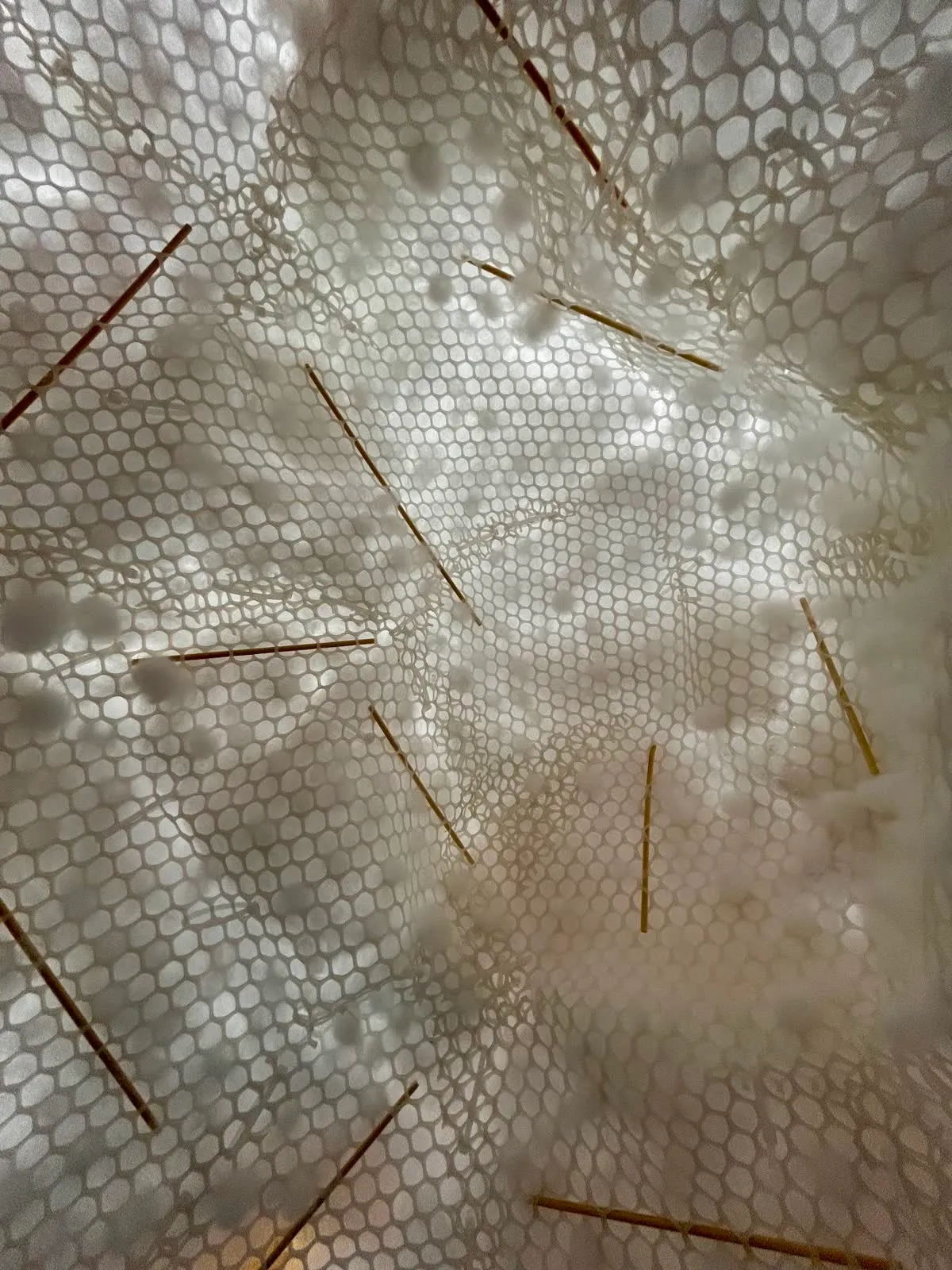
Close-up of fibre on hexagonal mesh, held by bamboo skewers.
24 Jul · Fibre pinned with bamboo skewers
A thermal camera reading 27.4 °C, pointed at wiring on the floor.
28 Jul · Checking for heat
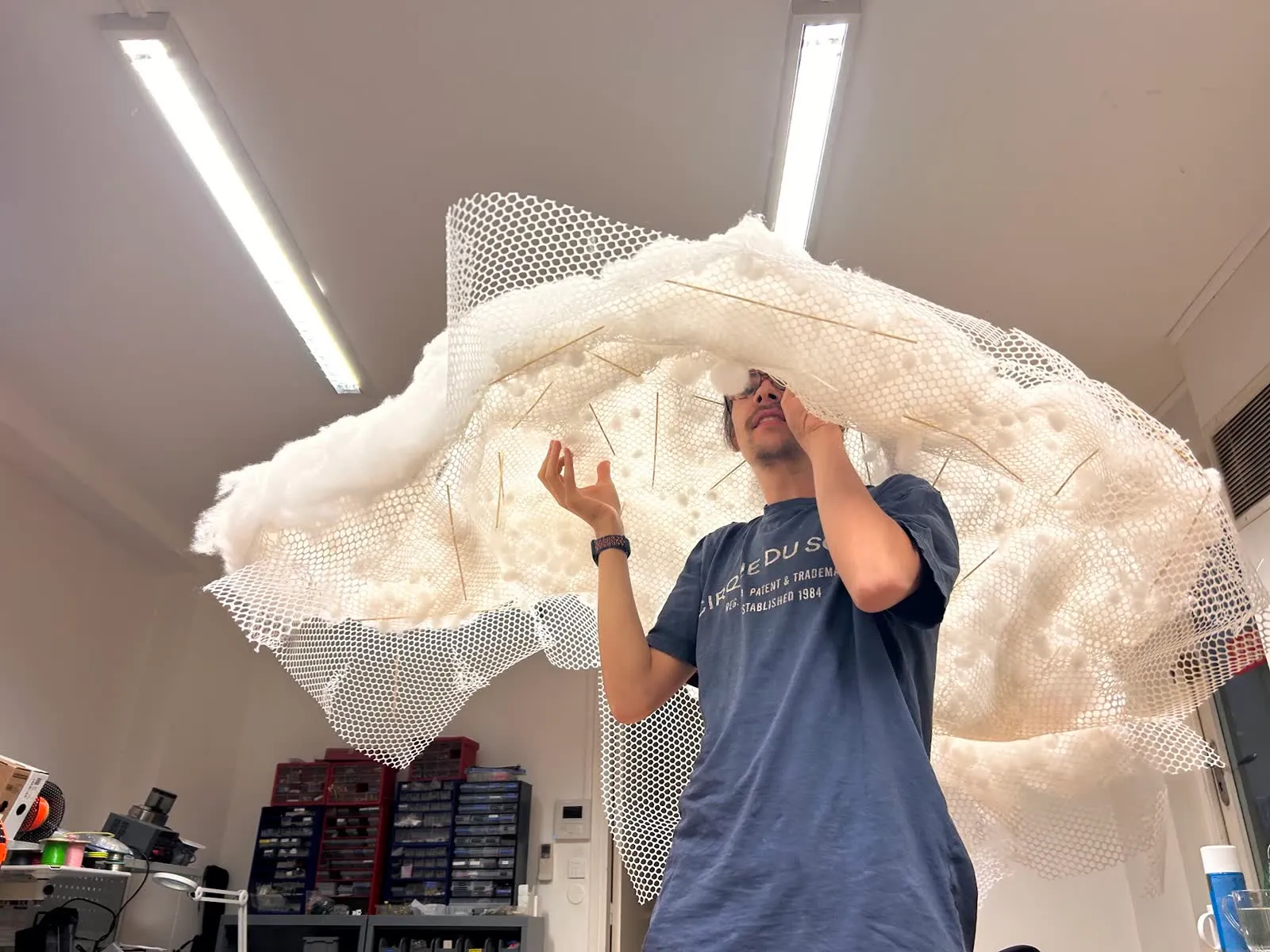
Holding the fibre and mesh shell overhead in the workshop.
28 Jul · Judging the shape of the shell
Lying beneath the lit cloud, pushing a skewer up into the fibre.
29 Jul · Final shaping, from below

α Technical details

Everything behind the cloud

Line drawing of the cloud installation above a teapot on a small pedestal.

Hardware

01StructureA pyramid frame

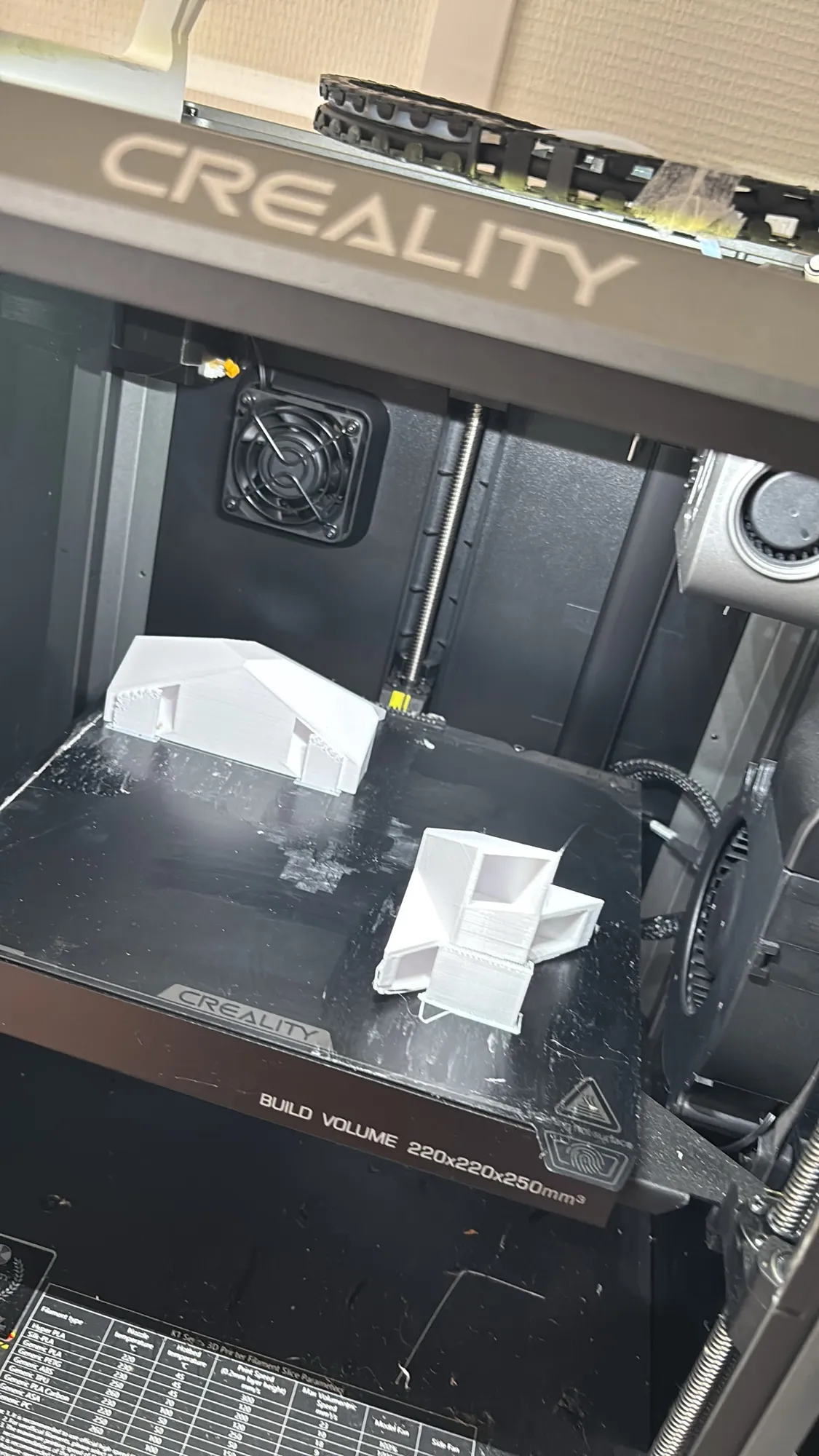
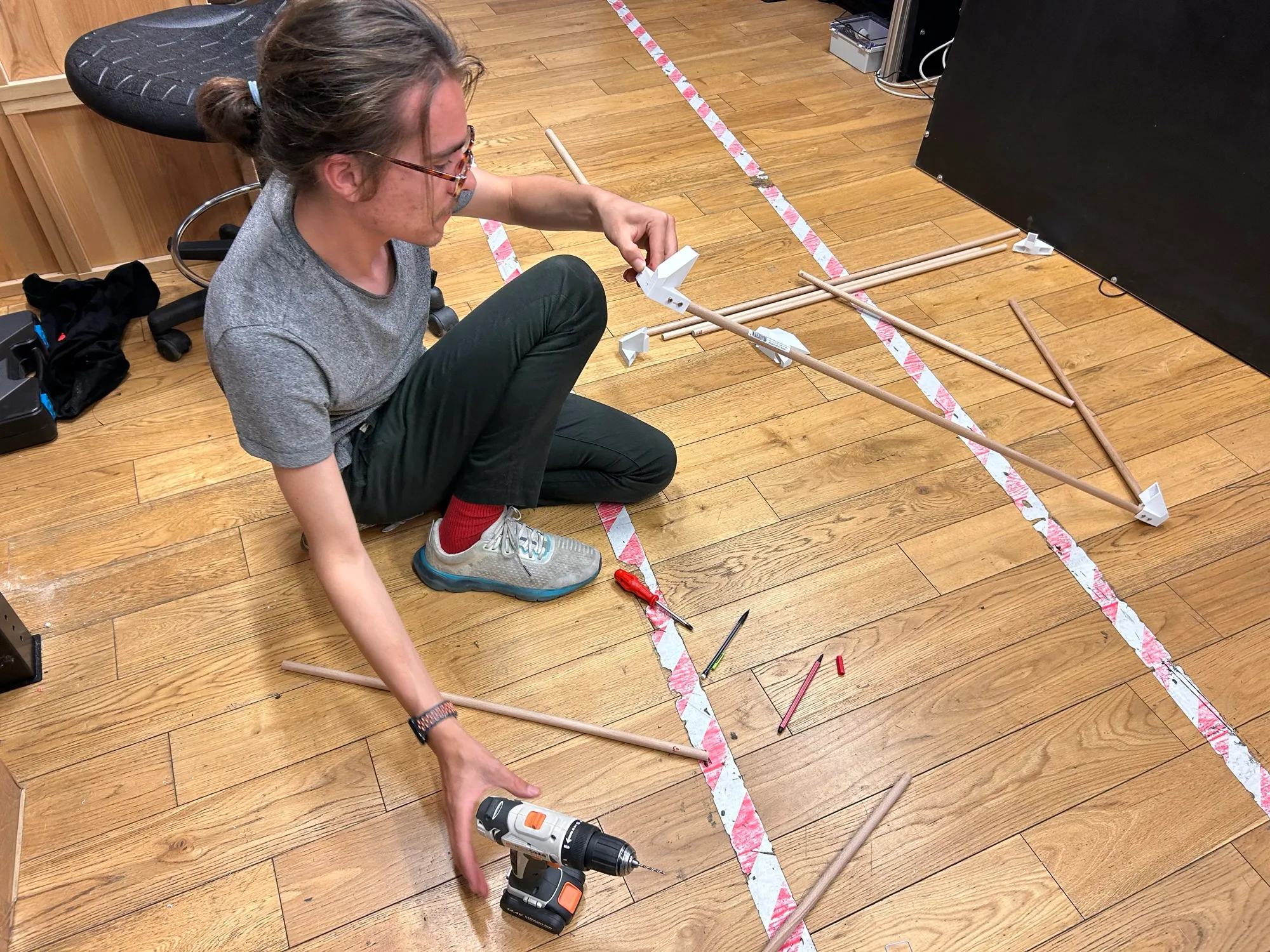
The cloud hangs on a pyramid frame of wooden dowel rods held together by 3D-printed joints. The frame is wrapped with a plastic mesh, secured in place by zipties. There are plastic support struts made from rolled-up mesh to both support the outer layer and ensure it is far enough away from the LEDs to diffuse correctly.

This inner and outer seperation allows LEDs to shine outwards into the cloud material, independent of the complex surface of the cloud, leaving a reasonable LED-to-diffuser spacing to prevent hotspots and provide proper coverage across the outer material.

The pyramid shape simplified the geometry of the inner structure of the cloud but compromised the expressivity of the light fields we can create. We tried to account for this with our LED mapping approach described later.
Building the pyramid →

The 3D-printed joints for the pyramid frame.
Printed joints.
The wooden dowel frame of the pyramid coming together with its printed joints.
The frame comes together.
The completed pyramid frame wrapped in green plastic mesh with support struts visible.
Completed pyramid with mesh.
Rolled mesh support struts holding the outer layer away from the LEDs inside the pyramid.
Rolled mesh support struts.
02LightLED pixels inside the pyramid

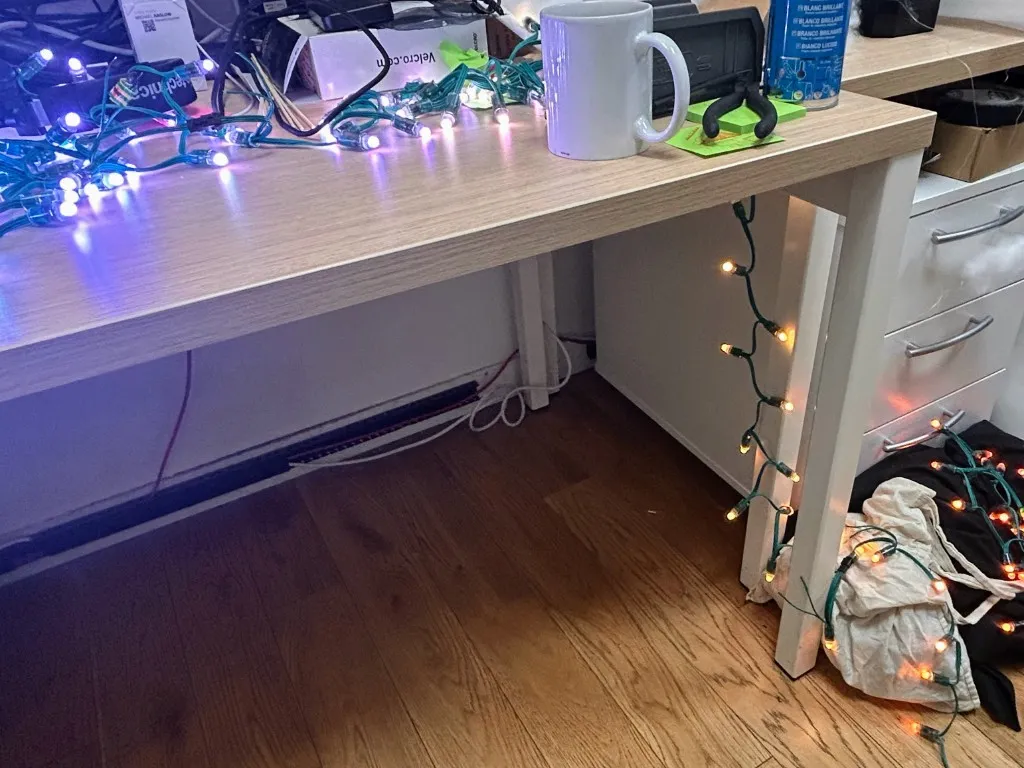
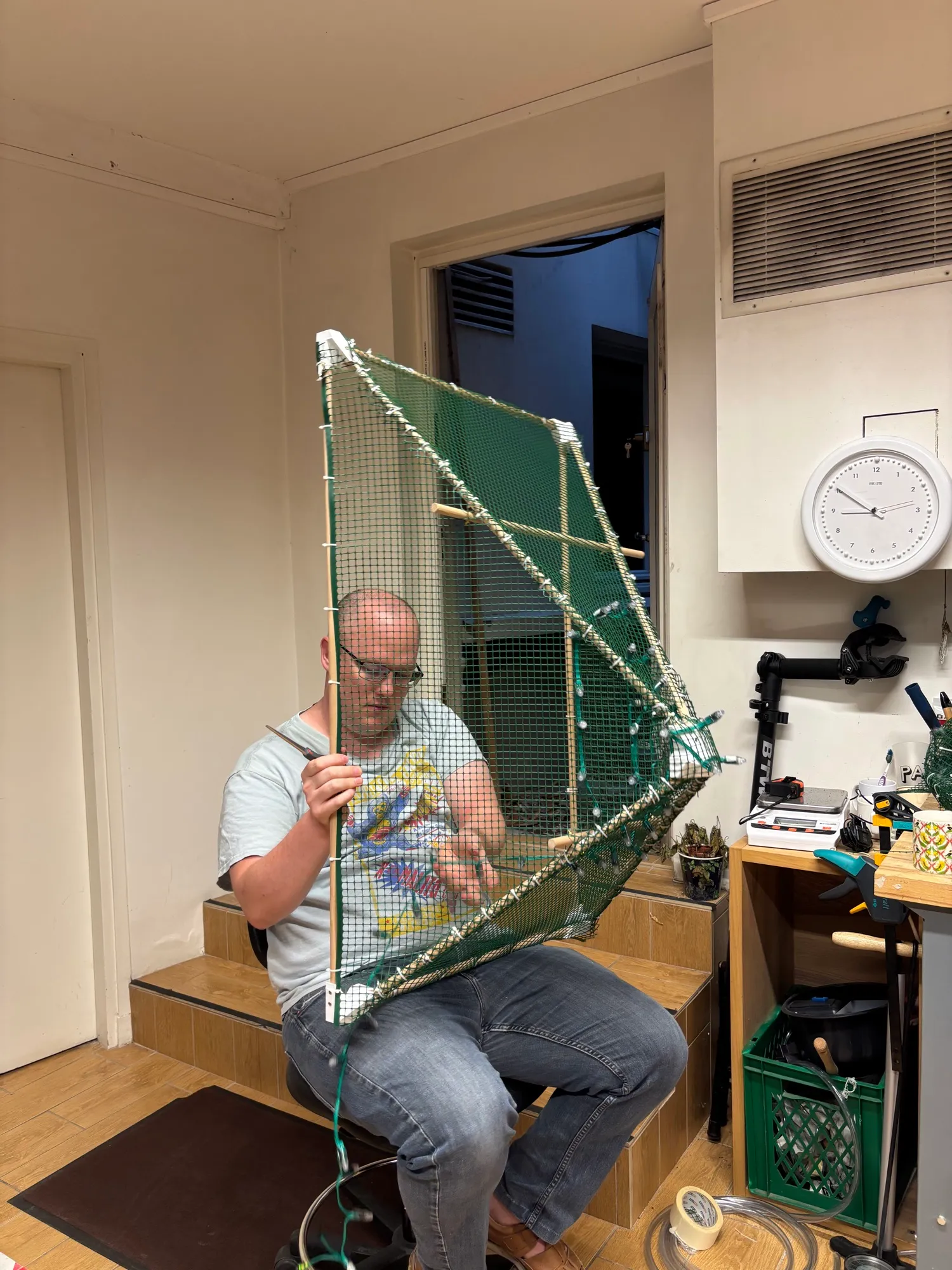
Rows of addressable LED pixels — BTF-LIGHTING WS2811 IC RGB 50 LEDs 12 mm DC5V IP68 Green LED String Lights — are woven into the mesh of the pyramid and numbered to make LED mapping easier. Each pixel can take its own colour and brightness, and each has a position in the digital twin, which is how the software knows what colour to give it.

We could have used LED strips for this pyramid design but string LEDs are more versatile for trying out different distances between LEDs and also for placing them on complex mesh shapes which we had originally experimented with. We already had enough string LEDs so we went ahead and used them.

We needed to inject power to the string LEDs every 100 LEDs which wasn't the case with similar length LED strips but wasn't a problem for our design.

A pyramid of light →

White LEDs without power injection showing voltage drop and yellowing along the strand.
White LEDs without power injection: voltage drop causes colour fading to yellow.
Looking out from inside the mesh-wrapped pyramid, with strings of LED pixels and a power injection point visible on the left.
Looking out from the pyramid. Power injection point visible on the left.
Michael weaving LED pixels onto one mesh-covered face of the pyramid frame.
Weaving in the pixels.
03BodyCloud cotton on a mesh

The outer layer is loose cotton fibre, layered over a white hexagonal mesh. We tried to pull the cotton through the mesh to keep it in place rather than using glue. This worked but proved difficult as we closed up the cloud as we couldn't reach into the cloud surface anymore. To get around this we finished it off by pushing the cotton through the mesh with a skewer.

This approach looked great and created a texture you just wanted to touch. However the variable density of the cotton at points where the cotton was pulled or pushed through were very obvious when the LEDs were on. Moreoever, the cotton could fall out when handled or when the cloud fell (which absolutely didn't happen).

The pilot cloud →

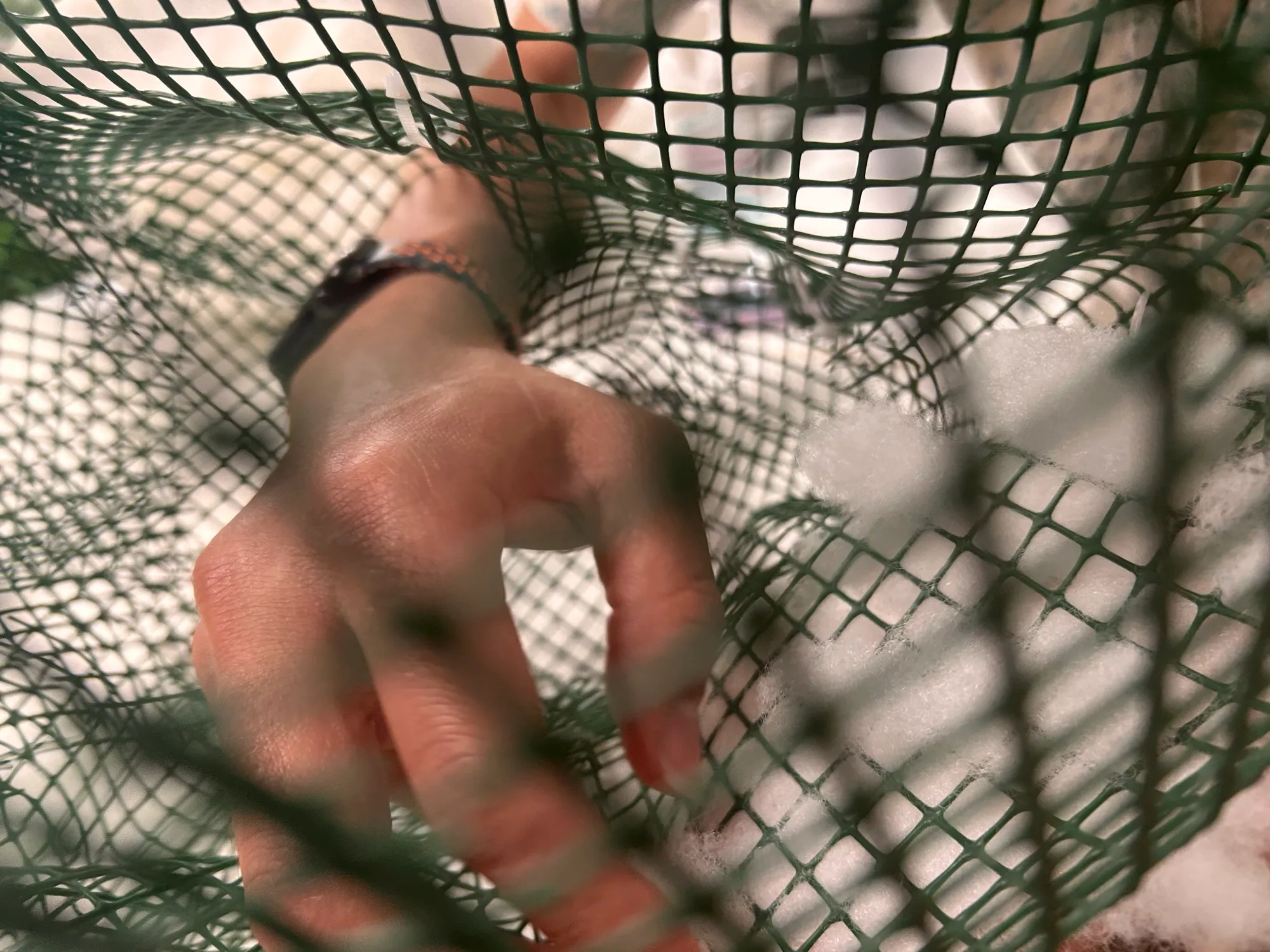
Hands pulling cotton through the mesh.
Pulling the cotton through.
Cotton pulled through hexagonal mesh, with skewers supporting the mesh structure along planes.
Cotton pulled through mesh. Skewers support mesh structure along planes.
Stuffing fibre into the cloud from below.
Stuffing it from below.
04PowerBattery, converter, controller

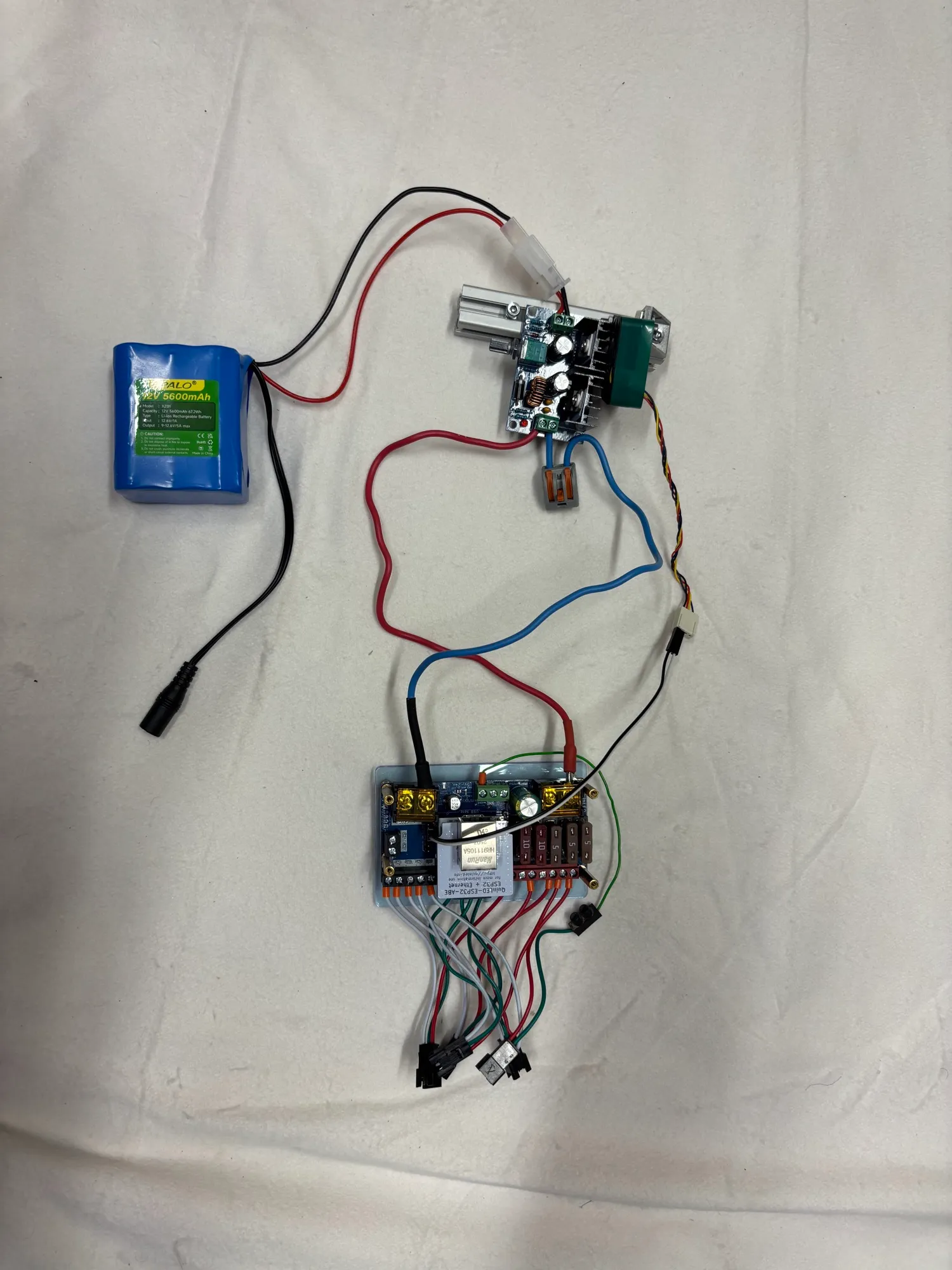
To keep mains cables away from participants lying on the floor, the installation runs off a 12 V 5600 mAh lithium-ion battery. A DollaTek XL4016E1 buck converter steps the 12 V down to 5 V for the LEDs, powering a QuinLED Dig-Quad controller running WLED firmware, fitted with an ESP32-ABE module, controlled over Wi-Fi from our custom control software.

The electronics in the pilot →

The complete electronics setup for the pilot: Cityork battery, DollaTek buck converter and QuinLED Dig-Quad controller laid out on the bench.
The complete pilot power and control setup.
05BreathConductive rubber breath belt

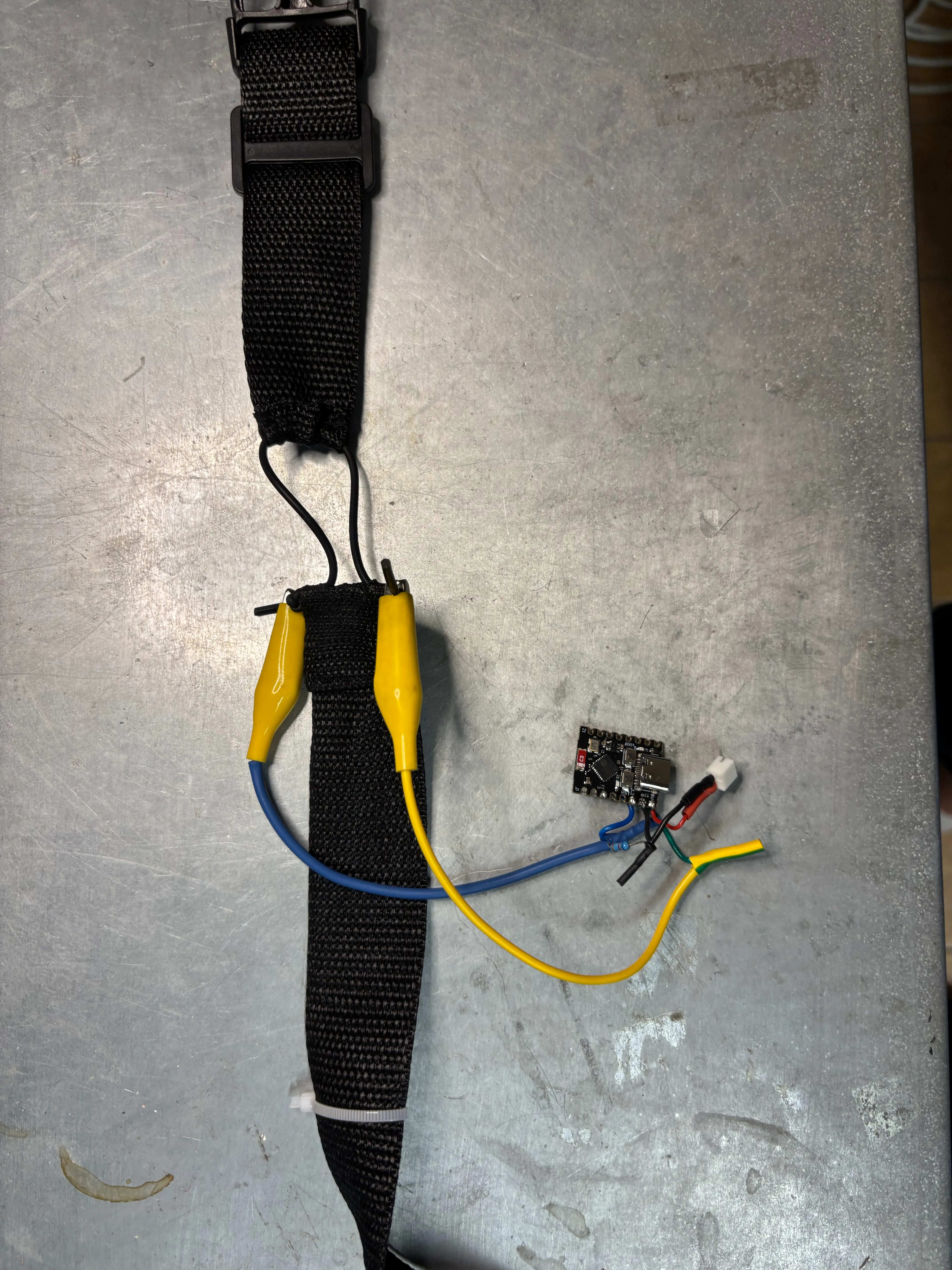
Each participant wears a light belt with a conductive rubber stretch sensor. A tiny ESP32-C3 board reads the analogue sensor output and sends it wirelessly to TouchDesigner, which smooths the signal, detects the start of each in- and out-breath, and broadcasts OSC trigger messages to the main control app. Below are real recordings from our tests with different band widths and amounts of stretch, all on the same scale.

Read about the belt →

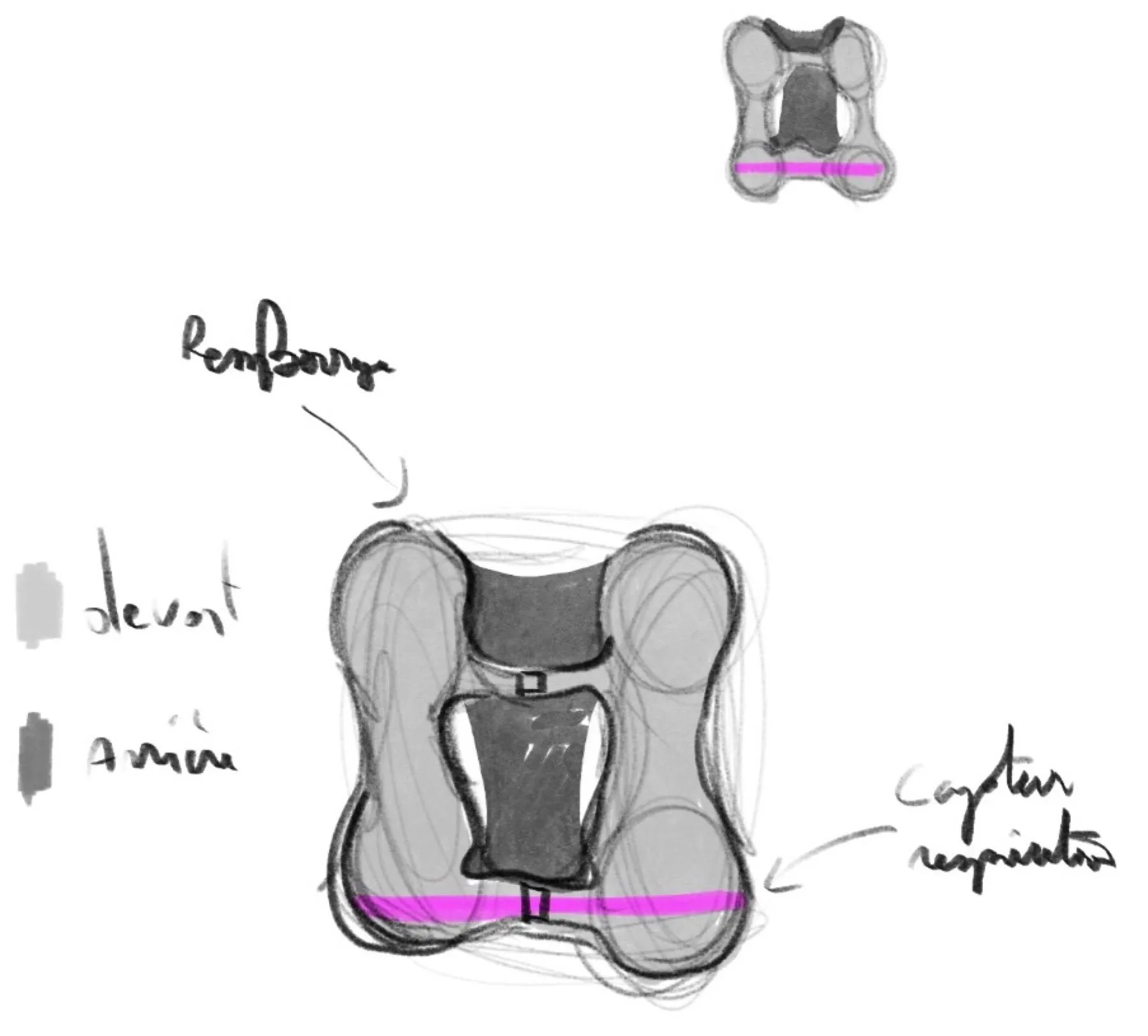
Sketch of a vest with a breathing sensor band around the torso.
Early design sketch for the breathing vest.
The wearable breathing belt prototype with stretch sensor, alligator clips, and ESP32-C3 microcontroller board.
The stretch sensor and ESP32-C3 electronics.
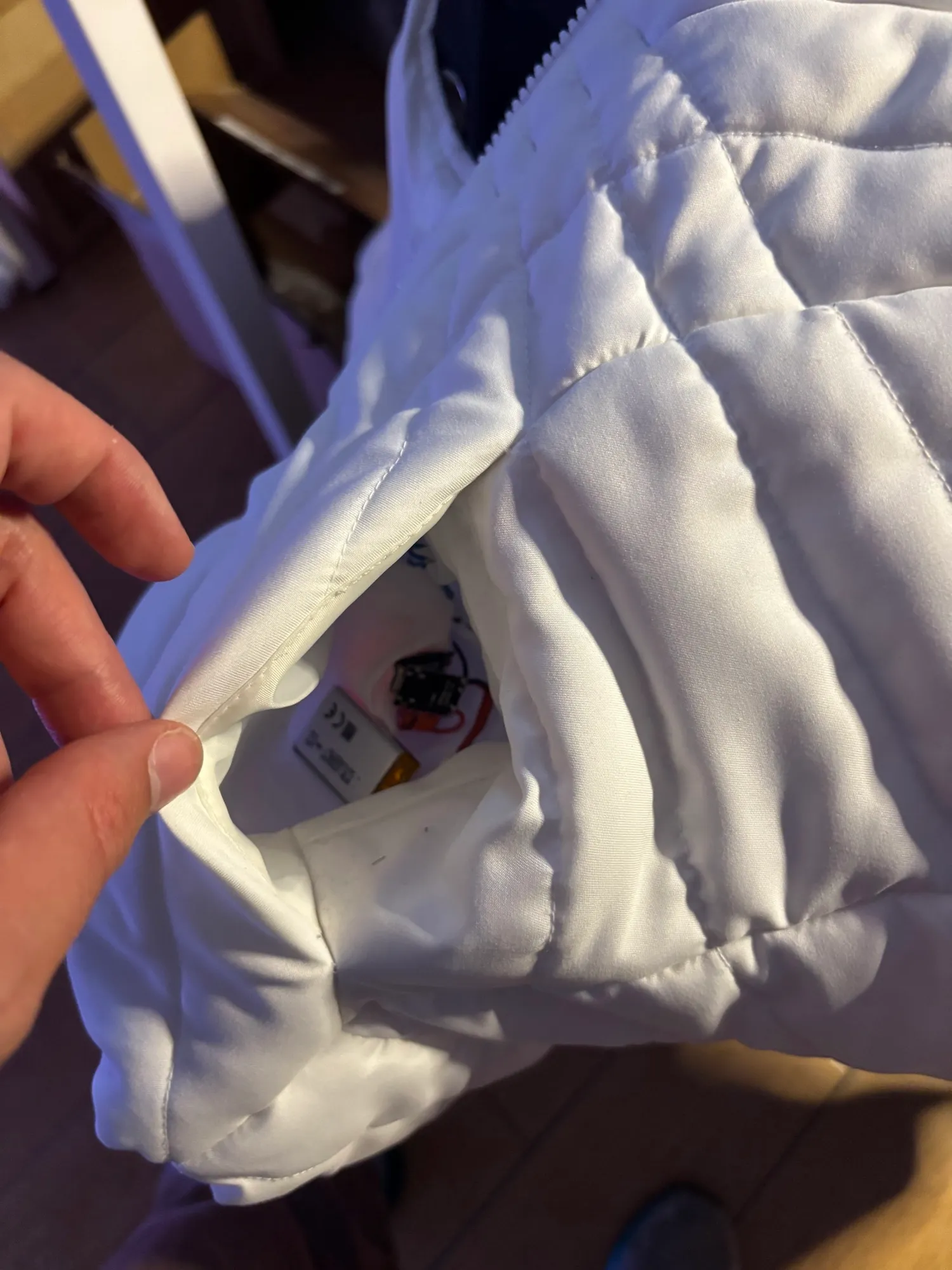
The wireless breathing sensor device tucked neatly into the chest pocket of the cloud jacket.
The device in its pocket.
985767samples →

20 cm band, 4 cm stretch. 966 raw readings, spanning a range of 112 units. Each breath is a clear, readable wave.

Software

06SoftwareA vibe-coded instrument and a digital twin

There was no off-the-shelf tool for lighting a cloud, so we made one. The software wasvibe coded: written in conversation with AI coding assistants, one idea at a time. We described what we wanted to see or hear, tried it on the real cloud, and asked for the next change. What grew out of that is less an app than an instrument, built in TypeScript with React and three.js.

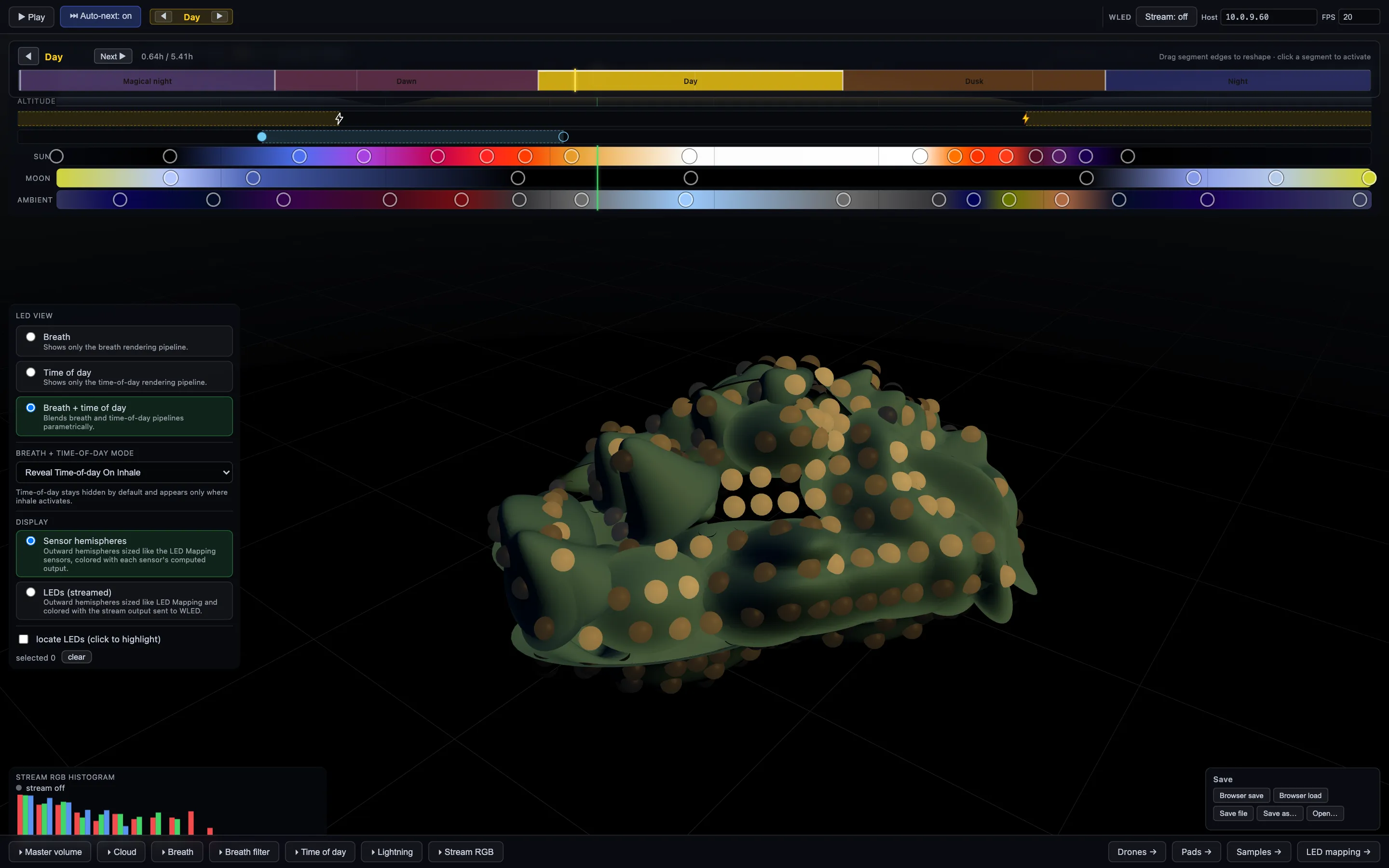
At its centre is a digital twin: a 3D model of the cloud with every one of its 344 LEDs placed where it really sits. Five pages share one 24-hour sky clock, so light, lightning, breath and sound all follow the same day. Whatever the twin shows is streamed live to the physical LEDs.

TouchDesigner (breath) → relay → browser (simulation and audio) → relay → WLED controller (LEDs)

View the code on GitHub ↗

The simulator: a dark 3D view of the cloud model dotted with glowing LED hemispheres, a 24-hour sky timeline with colour stops across the top, and panels for LED view, breath, lightning and sound.
The simulator. The cloud’s digital twin, with the sky timeline above.
07LED mappingPlacing 344 lights on a lumpy cloud

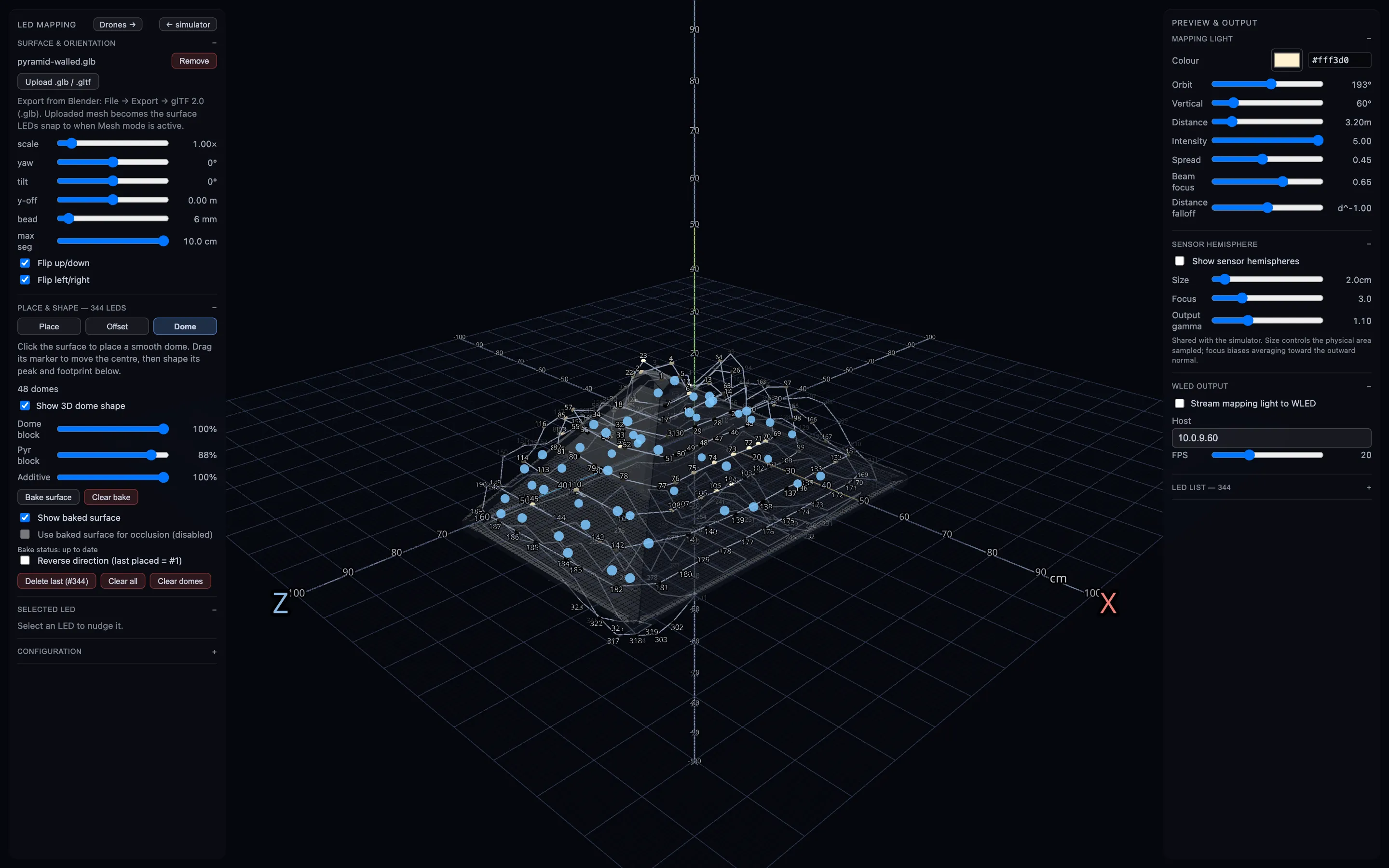
We modelled the cloud’s shape in Blender and loaded it into the mapping page. Then we placed the LEDs on it one by one, in the order they run along the physical strand, lighting each real LED to check it was in the right spot.

A smooth model is not a cloud, so we added 48 soft “domes” over the surface where the real cloud billows. They lift nearby LEDs and change how light reaches them, so a pixel tucked in a fold sits in shadow and one on a crest catches the light. A movable test light, which can stream straight to the cloud, let us check the mapping by eye.

The LED mapping page: a wireframe model of the pyramid-shaped cloud on a grid, with numbered blue dots for each LED and control panels on both sides.
The mapping page. Each numbered dot is a physical LED, placed in strand order.
07bHow each LED gets its colourLight probes on a virtual cloud

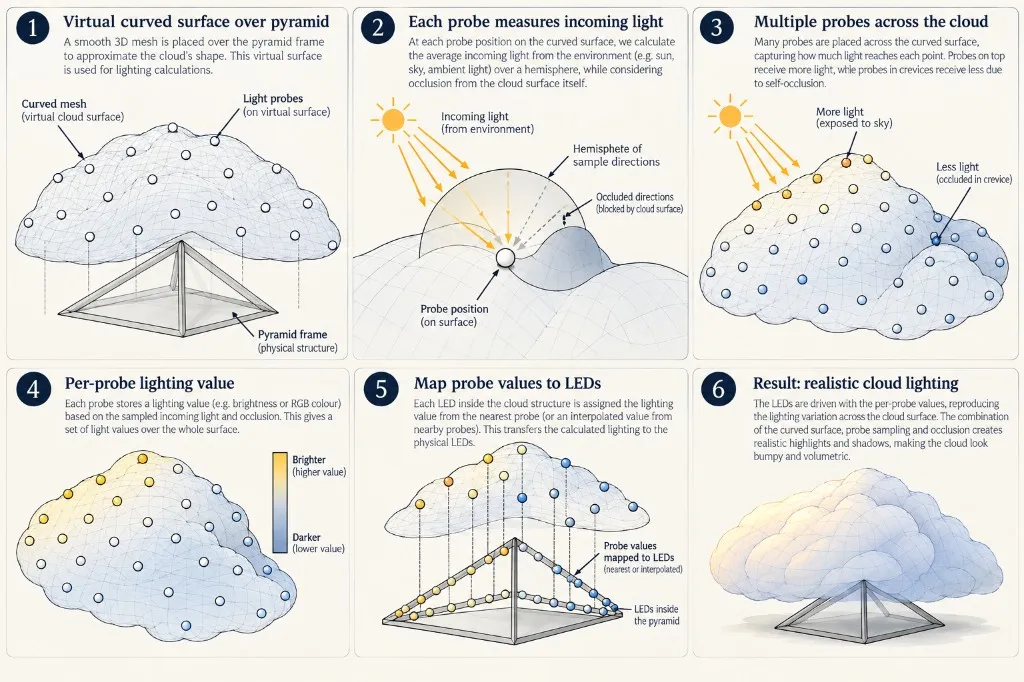
In the digital twin, a smooth 3D mesh is placed over the pyramid frame to approximate the cloud’s shape for lighting calculations. Rather than lighting a flat panel, light probes across this virtual surface sample the environment, calculate self-occlusion in crevices and on ridges, and transfer the resulting light values directly onto the physical LEDs inside the cloud.

Diagram in six steps showing how a smooth virtual mesh over the pyramid frame samples lighting via surface probes and transfers the calculated values onto the physical LEDs inside the cloud.
How the digital twin lights each LED, from virtual surface to physical lights.
08ColourChoosing colours on a 24-hour sky

The day is split into periods: magical night, dawn, day, dusk and night. Below them sit three colour tracks, for the sun, the moon and the ambient sky, each with its own draggable colour stops. The sun and moon move on physically plausible arcs, and their colours blend smoothly between stops.

We chose the colours by eye, not by formula. We dragged a stop, watched the real cloud change, and kept what felt like a sky: the violets and ambers of our palette, deep blues at night, and hue-preserving brightness so sunset oranges don’t bleach to white.

The sky timeline: a row of day periods (magical night, dawn, day, dusk, night) above tracks for lightning, breath, and gradient tracks of colour stops for the sun, moon and ambient light.
The sky timeline. Periods across the top, then colour stops for sun, moon and ambient light.
09LightningBolts, strikes and sprites

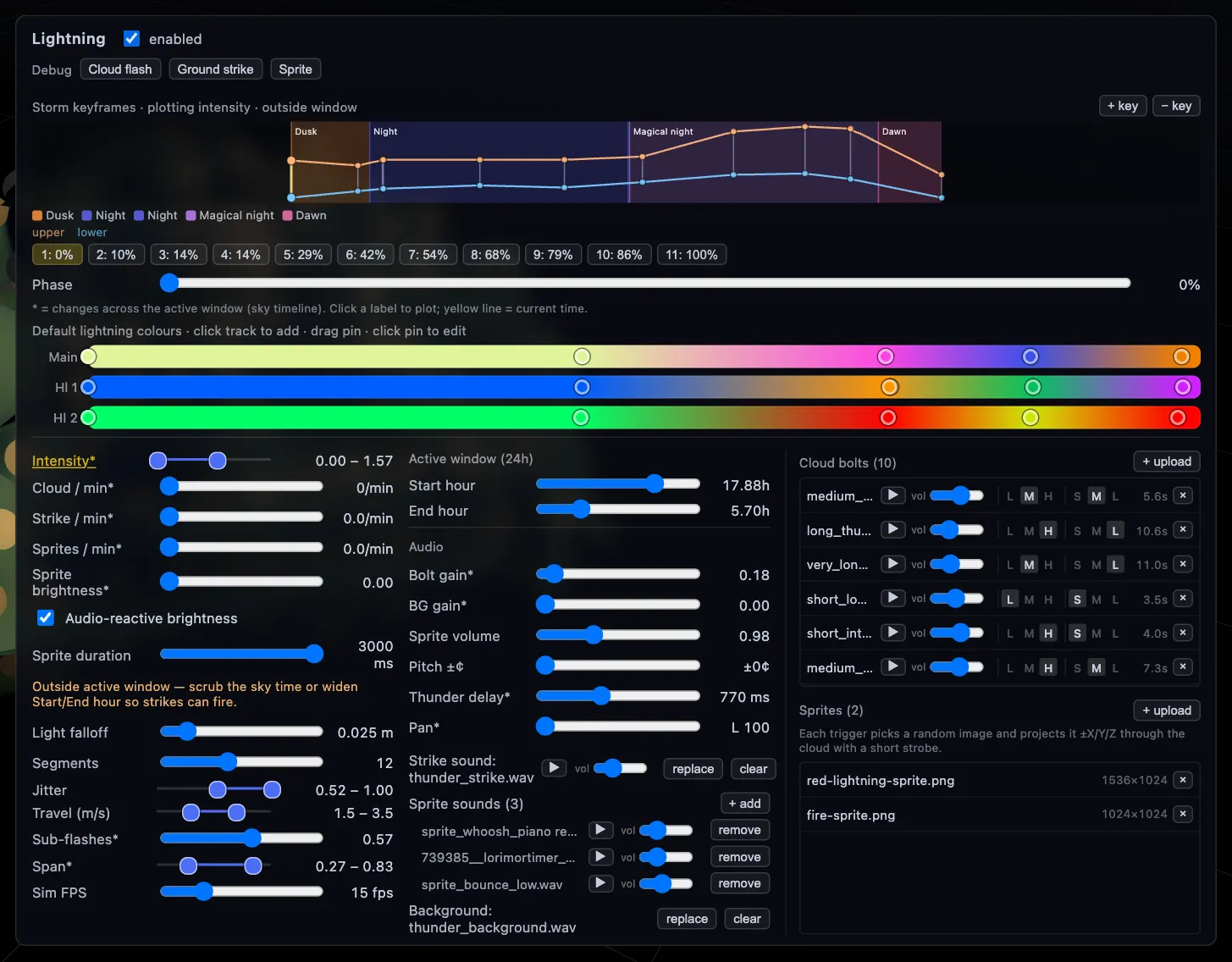
Lightning is simulated as branching bolts that crawl through the cloud’s 3D volume, lighting the LEDs they pass. There are in-cloud flashes, ground strikes, and image “sprites”: pictures projected through the cloud in a short strobe, which became the strange flashes of the magical twilight.

Storm intensity is keyframed across the night, building from dusk into the magical twilight. Each bolt takes its colours from three gradient tracks, so a flash can move from pale gold to magenta to green. Every flash also picks a thunder recording that matches its length and intensity, arriving a moment later like real thunder.

The lightning panel: a storm intensity curve keyframed across dusk, night, magical night and dawn, three colour gradient tracks for the bolts, rate and shape sliders, and a library of thunder and sprite sounds and images.
The lightning panel. Storm intensity across the night, bolt colours, shape, and a library of thunder sounds.
10Sound · dronesA score written across the day

The soundscape is composed on the same 24-hour clock as the light. A drone synth and a warm pad synth each have a piano roll that spans the whole day, so a note might hold for hours of sky time, from dusk into night.

Drones are built from slow, layered sine tones, with a tiny drift that dissolves beating between close intervals into a soft chorus.

The drones page, with audio. Long notes on a 24-hour piano roll, shaped by tremolo, filter and drift.
11Sound · padsWarm chords that change with the light

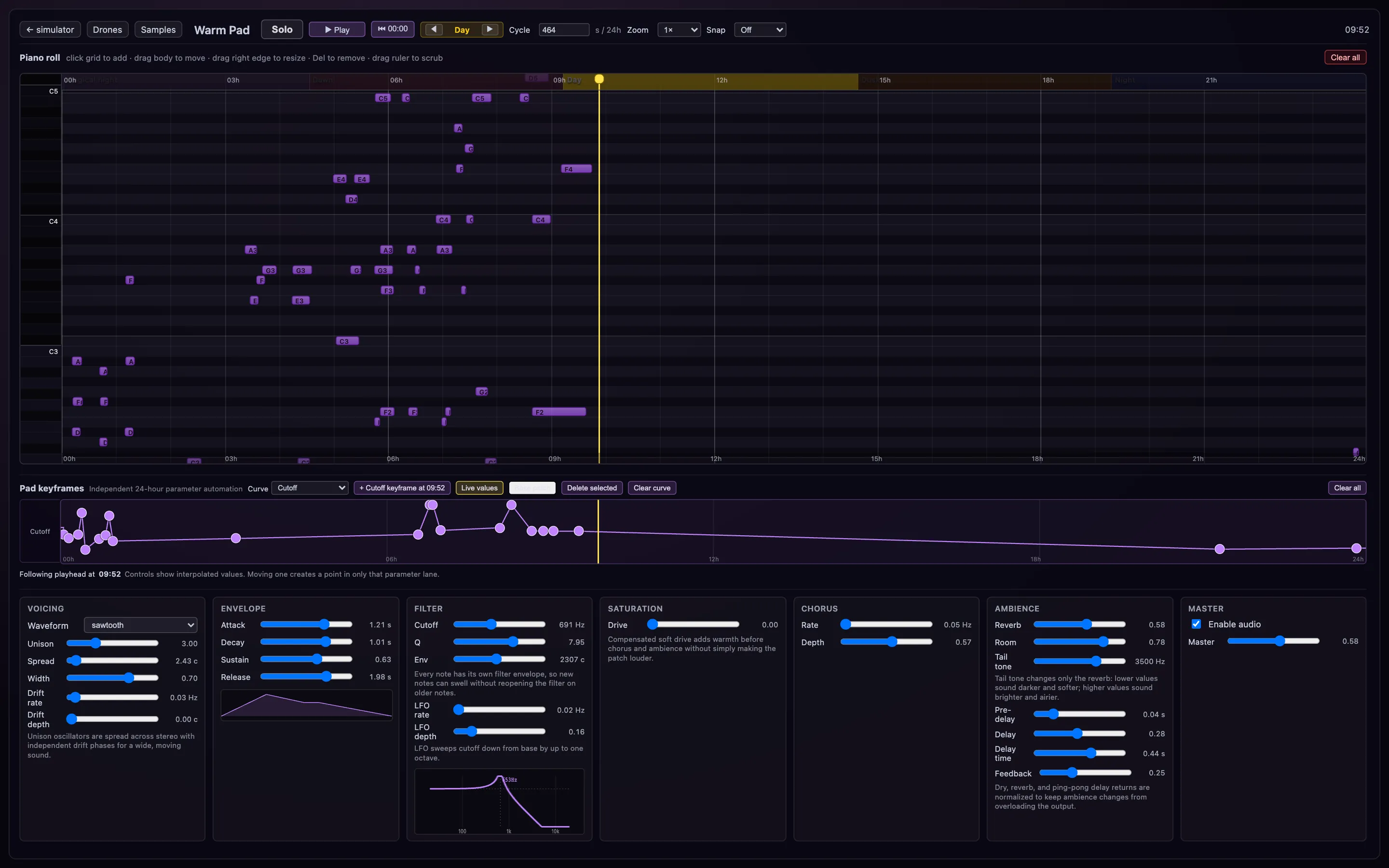
Above the drones sits a warm pad synth: several detuned voices per note, spread across the stereo field, then through saturation, chorus, reverb and delay.

Its chords are written on the same day clock, clustered through the night and early morning. Any parameter can be keyframed across the day. Here the filter cutoff rises and falls, so the pads open up and soften again as the light on the cloud changes.

The pads page: a piano roll across the 24-hour day with chord notes, and synth controls with keyframe curves for each parameter.
The pad synth, with its own piano roll and parameters keyframed across the day.
12Sound · samplesBirdsong, bells and the breath of the room

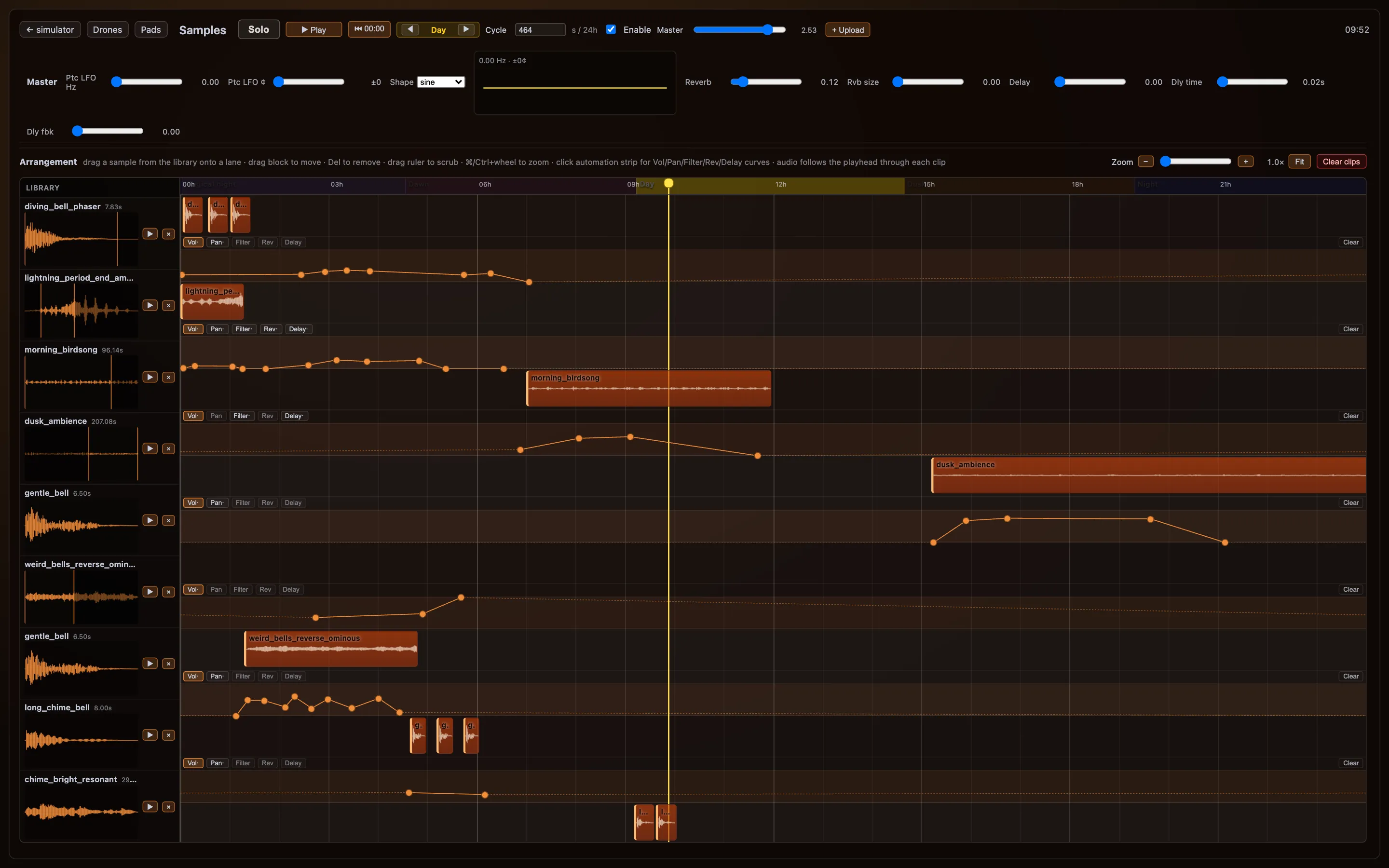
Recorded sounds are dragged from a library onto lanes on the day timeline: morning birdsong, dusk ambience, gentle and reversed bells, chimes. Each lane has its own curves for volume, pan, filter, reverb and delay.

Breath plays its part too. Each out-breath can trigger a soft sound, and how much of the cloud is lit by breath feeds back into the mix. The room hears itself breathing with the cloud.

The samples page: a library of sound files with waveforms on the left, arranged as orange clips on lanes across a 24-hour timeline, with automation curves for volume and effects.
Samples arranged on lanes across the day, with automation for volume, pan, filter, reverb and delay.
13Sound · breath modulationThe mix breathes with the room

As each out-breath travels up into the cloud, the software measures how much of the cloud it lights. That single value then drives the mix. Each slider in the master panel sets where a parameter lands when the cloud is fully lit by breath, plus an offset for where it rests between breaths. The live value glides between the two.

It moves the volume, saturation, tremolo and filters of the drones, the volume, saturation, spread and filters of the pads, and the volume and filters of the samples. The soundscape swells and opens as a breath washes through the cloud, then settles as it fades. Turn the sound on to hear it.

Breath modulating the sound, with audio. Watch the drone, pad and sample controls move as each breath passes through the cloud.
The betaAugust – September 2026

β Updates in beta

Rebuilding the cloud

After the pilot, we took the cloud apart and rebuilt it. The single skin of fibre became four soft layers, each LED was aimed outwards, the electronics stopped running hot, and the software learned new kinds of light.

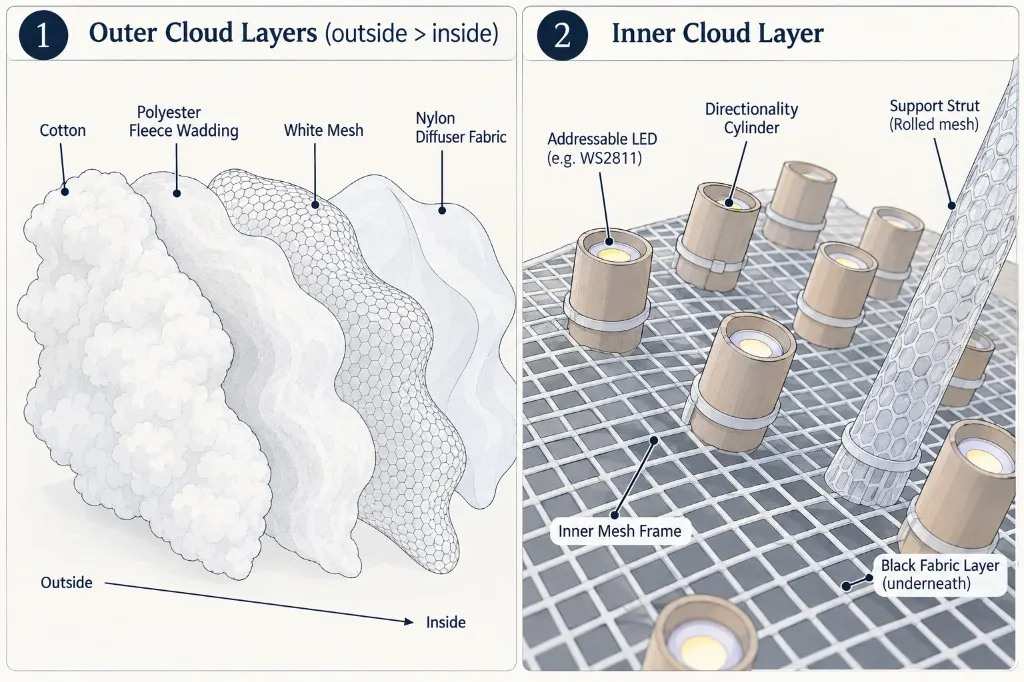
Diagram of the cloud's layers. Left: the outer layers, from outside to inside, are cotton, polyester fleece wadding, white hexagonal mesh and nylon diffuser fabric. Right: the inner layer, with addressable LEDs set in card directionality cylinders on an inner mesh frame, a rolled-mesh support strut, and a black fabric layer underneath.
The materials and layers of the beta cloud.

Outer layers outside → inside

  1. Cotton α

    The outermost layer and the one you see. Pulled into tufts, it gives the cloud its billowing, cumulus surface.

  2. Polyester fleece wadding β

    A thicker layer of wadding under the cotton. It gives the cloud its body and softens the light again on its way out.

  3. White mesh β

    A white plastic mesh with hexagonal cells, shaped into the cloud’s outline. It is the shell that holds the soft layers in place.

  4. Nylon diffuser fabric β

    The first thing the light meets. It spreads each point of light out before it reaches the wadding, so no single LED shows through as a hot spot.

Inner layer the core of light

  • Inner mesh frame α

    A square-grid mesh that forms the core of the cloud and carries the lights.

  • Addressable LEDs α

    Individually controllable LED pixels (for example WS2811), fixed across the frame. Each can take its own colour and brightness, which makes gradients, lightning, colour blooms and breathing light possible.

  • Directionality cylinders β

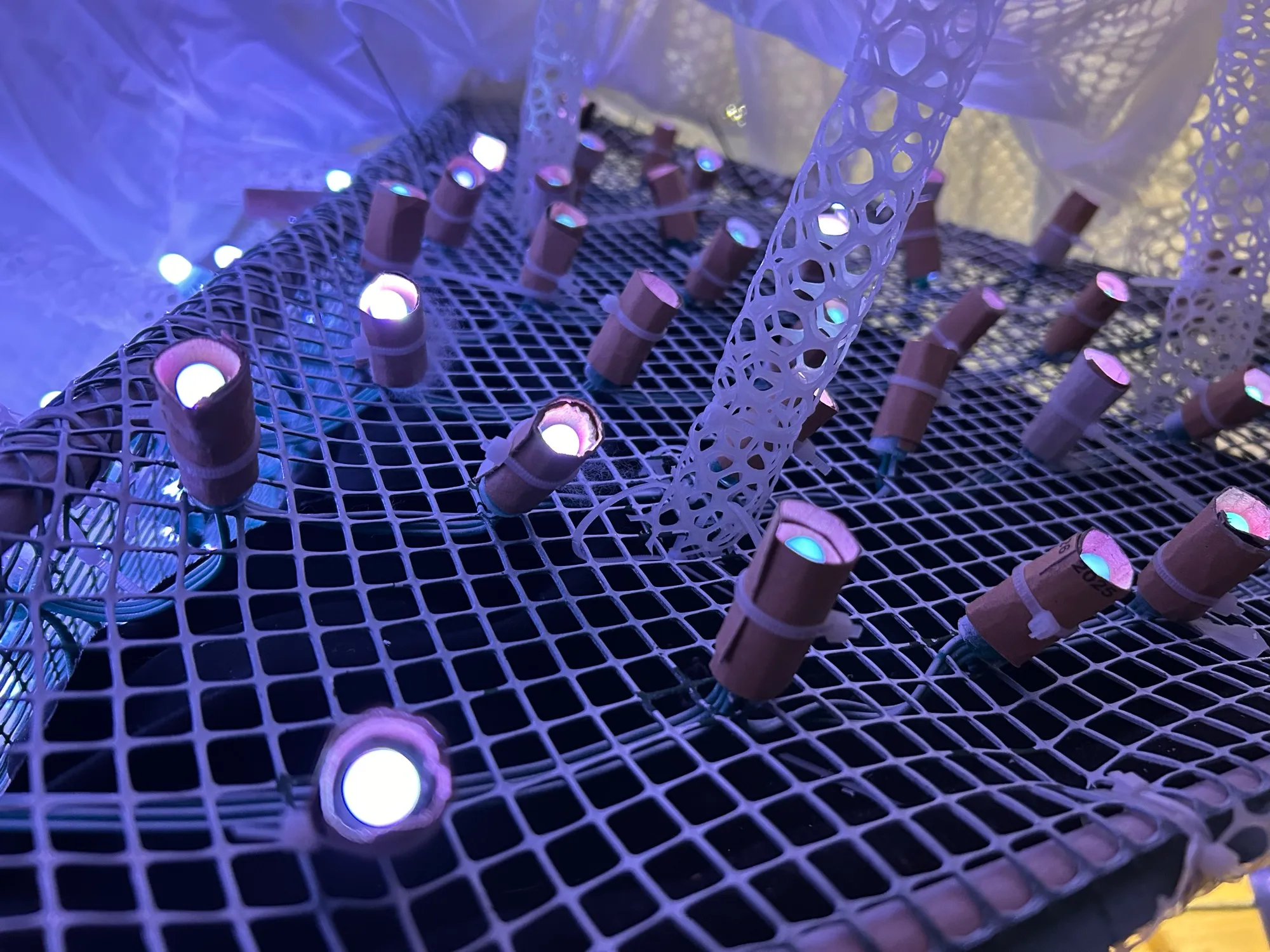
    A short card tube around each LED aims its light outwards, so each pixel lights its own patch of the cloud instead of washing into its neighbours.

  • Support struts α

    Tubes of rolled mesh, rising from the frame, hold the outer layers at a distance from the lights.

  • Black fabric layer α

    Underneath the frame, a black fabric stops light escaping backwards, so it only leaves through the diffusing layers.

α in the alpha and kept in the betaβ new in the beta

Inside the pyramid: LEDs in card tubes on a square mesh, with rolled-mesh struts between them, lit blue.

Aimed light

A card tube around each LED points it outwards, and rolled-mesh struts hold the layers away from the lights.

Aiming the light →
A larger buck converter wired to a new LED controller.

Cooler electronics

A larger buck converter and a new controller, so the cloud no longer needs a fan to stay cool.

New electronics →
The rebuilt cloud glowing pink, with its layers visible at the edge.

New light in the software

Bumps in the digital twin for depth, highlights where the sun catches the top, and sprites that arrive with their own sound.

Sprites with sound →

What the pilot taught us

Packed away, for now

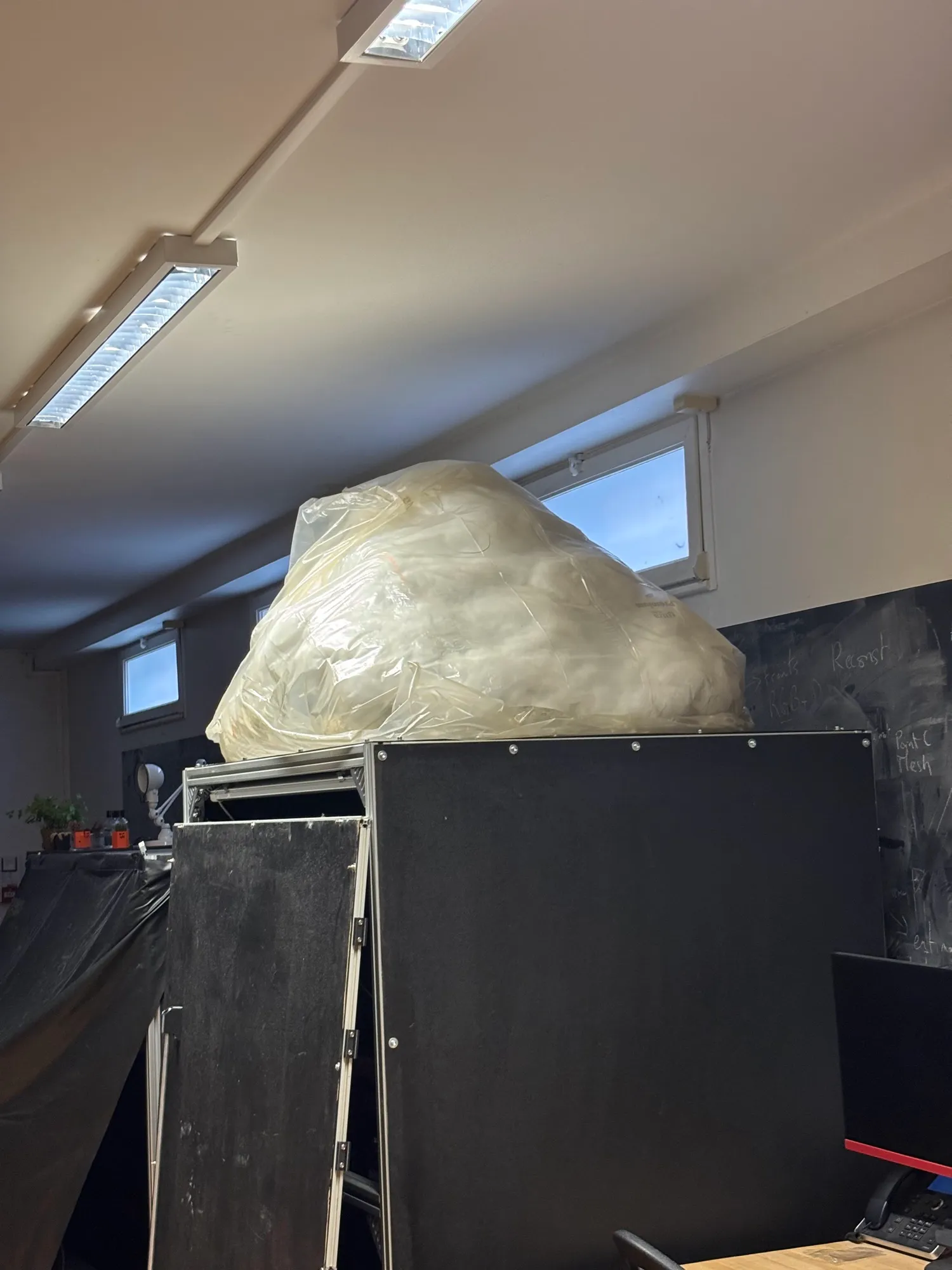
The pilot showed us what worked and what to change, and the beta grew out of it. The cloud is packed up now, waiting for the next room.

A new iteration is planned for November, which will give more people the chance to see the cloud in person. We’ll share viewing opportunities here as soon as they’re confirmed.

The pilot cloud packed into a large clear bag, sitting on top of a black cabinet in the workshop.
The pilot, packed up and waiting.